A sphere LED display can be mechanically complete and still disappoint the buyer if the content workflow is decided too late. Artwork may stretch near the poles, a logo can cross a visible join, or the main message may face a wall instead of the audience. A practical sphere LED display content mapping plan connects the physical diameter, viewing zones, control system, and approval files before production is closed. This checklist helps procurement, content, installation, and technical teams agree on what must be shown, tested, and delivered.
Start with the audience, not the media file
Unlike a flat video wall, a sphere does not present one equally important front surface. The useful viewing area depends on where people enter, stop, walk, and look upward or downward. Mark the primary and secondary viewing zones on the site drawing before the content team prepares a final canvas.
- Identify the main arrival direction and the longest viewing time.
- Record the normal eye level and whether the sphere is above, below, or beside it.
- Note walls, columns, escalators, windows, and nearby displays that block part of the surface.
- Decide whether the sphere needs one hero message or a continuously changing visual experience.
- Confirm whether cameras, livestreams, or event photography create another important viewing angle.
The Sphere LED Display product page explains the key configuration inputs buyers should define, including diameter, viewing distance, mounting method, access route, and content-control requirements. Use those project facts as the starting point for the content brief.
Create one shared orientation diagram
Different teams often use “front,” “top,” and “left” differently. The installer may face the access opening while the content designer faces the main audience. Replace verbal directions with one numbered orientation diagram. Mark the mounting point, maintenance access, cable entry, main audience direction, content origin, and any physical joins that should be protected from critical artwork.
Give the diagram a revision number and use the same orientation labels in the controller backup, content template, test videos, inspection photos, and packing documents. That simple naming rule prevents a correct file from being loaded in the wrong rotation during commissioning.
Build a mapping approval table
Agree on what evidence is required before the project is approved. A screenshot of the design file is not enough because it does not prove how the image appears on the built sphere.
| Approval item | Practical check | Evidence to retain |
|---|---|---|
| Orientation | Run a numbered direction marker and confirm the agreed audience-facing origin | Dated photo plus orientation diagram |
| Surface coverage | Check the full mapped surface with a grid and solid fields | Short video from primary viewing zones |
| Join protection | Move logos, small text, and faces away from sensitive transitions | Approved safe-area overlay |
| Motion | Review slow and fast movement around the sphere | Final-resolution test clip |
| Playback | Restart the player and controller, then reload the approved program | Configuration backup and restart notes |
| Handover | Open the supplied template and sample files on the buyer’s workstation | File index, version list, and owner |
Test artwork with safe zones, grids, and motion
Start with diagnostic content before judging the creative result. Use a simple grid, numbered direction markers, solid bright and dark fields, and slow moving lines. These files help the team see rotation, stretch, missing areas, and sensitive transitions without the distraction of a finished animation.
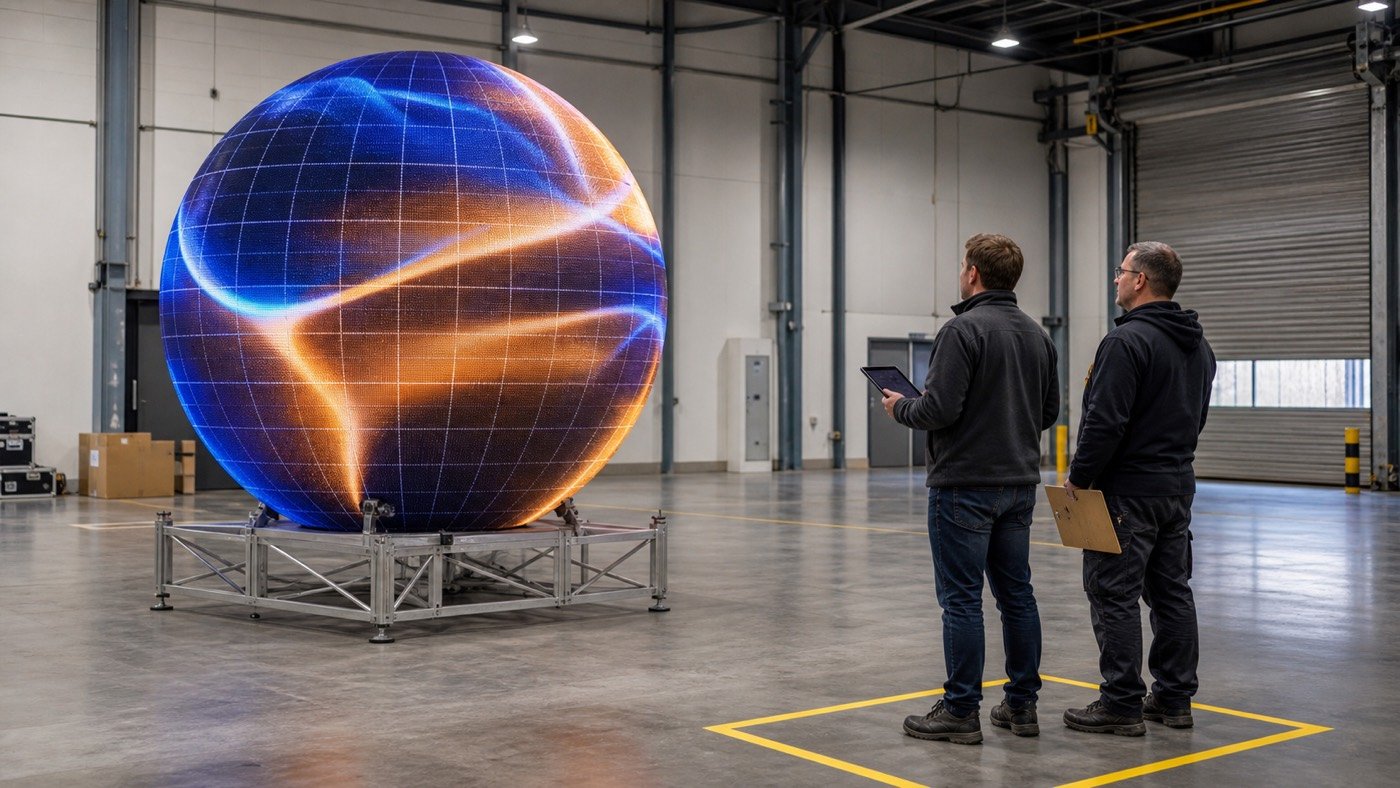
Next, test the real content types the buyer plans to use. A large abstract animation behaves differently from a face, a product image, or a short headline. Keep important details inside an agreed safe region and check them from every priority viewing zone. If the display will rotate through several campaigns, include representative files instead of approving only the easiest artwork.
Separate geometry issues from content issues
When an image looks uneven, first determine whether the cause is the physical build, calibration, mapping, or artwork. A distorted logo might come from the content projection, while a dark line may relate to a physical join or calibration. Record the test file, camera position, controller configuration, and observed area before asking a team to correct the problem.
This distinction keeps the punch list useful. “Image looks wrong” is difficult to assign. “Direction marker 3 is rotated at the main entrance view” gives the content or control team a reproducible issue to solve.
Confirm the playback and recovery workflow
A successful demonstration is not a complete handover. The buyer should be able to identify the approved file, load it again, and recover the intended orientation after a player or controller restart. Ask for a clean final package that includes the mapping template, sample media, playback settings, controller backup, orientation diagram, and a short file index.
- Use versioned filenames and remove ambiguous “final-final” copies.
- Name the person or team responsible for approving content changes.
- Keep an untouched reference program for troubleshooting.
- Document the normal startup order and the expected first screen.
- Store the configuration backup separately from daily campaign media.
If the team is still comparing creative screen formats, the LED display product catalog provides a broader view of sphere, cube, flexible, transparent, and conventional display options. The correct content workflow depends on the physical format selected.
Add these fields to the RFQ
- Sphere diameter and indoor or outdoor installation environment
- Floor, wall, or suspended mounting concept
- Main and secondary audience directions with viewing distances
- Required maintenance and cable-access direction
- Content types: abstract motion, product images, people, logos, or short text
- Expected playback source, signal handoff, and update frequency
- Required mapping template, sample program, and configuration backup
- Prebuild test method, approval evidence, and punch-list owner
- Delivery country and site schedule
The LED display solutions overview can help connect these fields to the venue and application. For visual references, use the project cases to explain the intended environment, while keeping the final approval tied to the buyer’s own drawing and test plan.
Watch for content-mapping red flags
- The content template has no orientation diagram or revision number.
- Only one favorable camera angle is used for approval.
- The creative file is tested before a diagnostic grid or direction marker.
- Logos and small text cross joins without a safe-area review.
- The final mapping exists only on one technician’s computer.
- The buyer receives a rendered video but no editable template or configuration backup.
These warning signs do not prove that the display is unsuitable. They show that the approval and handover process is incomplete. Convert each one into a named test, deliverable, owner, and due date.
Close the project with a reproducible record
The finished sphere LED display content mapping package should allow a new technician to reproduce the approved result without guessing. Keep the orientation drawing, safe-area template, mapping file, controller backup, test media, viewing-zone evidence, accepted deviations, and closed punch list together.
Planning a sphere LED project? Send Mirun the diameter, installation environment, mounting concept, audience directions, content types, playback source, and delivery country. That project brief gives the team a practical basis for discussing configuration and quotation.
Need help choosing the right LED display?
Tell us your installation scene, screen size, pixel pitch target and timeline. Mirun Hailian can help match the right product configuration.