An LED wall can pass its picture check while the buyer’s IT team still refuses the network connection. The controller works on the integrator’s laptop, but nobody has approved the permanent address, cloud destinations or supplier support route. Commissioning then becomes a network redesign, with the opening date already fixed.
A useful LED display network handover makes those boundaries explicit before installation. Record which connections carry display data, which manage devices and which reach external services. Agree the communication requirements with IT, test the approved arrangement, and transfer ownership of the records and access. A cable plugged into a familiar socket is not enough.
This guide is for procurement teams, AV integrators and IT owners accepting a connected LED installation. It is a scope and acceptance guide, not a universal firewall configuration or a claim that one network design fits every controller.
What should an LED display network handover include?
The minimum useful handover is an as-built connection drawing, an endpoint register, an approved communication schedule, an access-owner list and a witnessed test record. Together, these answer five questions: what is connected, where it belongs, what it needs to communicate with, who may change it and how the buyer knows the arrangement works.
Start with the operating model. A local HDMI source and offline controller setup create different dependencies from a cloud-managed player serving several sites. Identify normal playback, content updates, hardware monitoring, configuration changes and remote maintenance separately. Mark functions that are unnecessary, not merely functions the product can support.
If remote visibility is part of the order, use the LED display remote-monitoring guide to define the status information required. The network handover then documents how that agreed function connects to the buyer’s infrastructure.
Do the similar-looking ports perform the same job?
No. Connector shape does not establish network purpose. For example, NovaStar’s VX1000 user manual lists display-output Ethernet ports separately from the ETHERNET control connector used for a control PC or router. That is a model-specific distinction, not evidence that all LED systems use identical connections.
Ask the integrator to identify every port against the exact controller, player and receiving-system documentation. Do not route an LED output through the corporate LAN, an ordinary switch or another converter just because its plug fits. Obtain explicit manufacturer support for the proposed transmission arrangement and have IT approve any connection to its network.
| Connection | Buyer decision | Handover evidence |
|---|---|---|
| LED controller to display | Which manufacturer-supported display path is required? | Output-port map and cabinet connection drawing |
| Device management | Which approved workstation or system may reach the device? | Endpoint record and permitted communication schedule |
| Player or CMS service | What external services support content delivery? | Destination, protocol and dependency list |
| Supplier support | How is temporary access approved and removed? | Named owner, access procedure and closure record |
Keep the display-output map and the IT connection drawing distinct, but cross-reference them. This prevents the network team from treating every cable as an ordinary endpoint and the AV team from assuming every wall outlet belongs to its display chain.
Give IT a communication schedule, not “internet required”
A useful LED controller network request identifies each IP-connected device by role, make, model, software version and physical location. It names the responsible owner and the actual device interface involved. Include the MAC address where relevant to the buyer’s enrollment process, and record the approved addressing method rather than inventing an address on site.
For each required communication, ask the supplier for the initiator, destination, protocol, service port, purpose and operating condition. Distinguish permanent needs from commissioning-only needs. If destinations are domain-based or may change, request the vendor’s maintained reference and change-notification process; a screenshot of one successful connection is not a durable specification.
Also ask how management software finds the device. Discovery and normal control may use different communication patterns. A laptop demonstration on a temporary direct connection does not prove that discovery or control will work across the buyer’s approved network boundaries. Let IT review the documented behavior and arrange a supported test; do not resolve a failure by disabling protections.
NIST’s Guide to Operational Technology Security, SP 800-82 Rev. 3 recommends mapping required communications and controlling traffic between network segments. This supports a useful review principle: define the necessary flows before approving access. The publication is broader OT guidance, not an LED certification or a mandatory design for every signage site. IT should choose the segmentation and enforcement appropriate to this installation.
Which functions actually depend on cloud connectivity?
Ask for a dependency description for each purchased function. Does loss of connectivity prevent a new playlist from arriving, stop status reporting, remove remote support or interrupt playback itself? The answers depend on the player, content source, storage and configuration. Do not describe the whole wall as “offline capable” without defining the function and conditions covered.
Record the required account or tenant owner, relevant service destinations, subscription status and the party responsible for vendor notices. Where the system requires DNS or time services, document the supported source and owner. Where it does not, mark the item not applicable. This is more useful than a generic list of services copied into every project.
For a multi-site operation, connect the network scope with the LED display CMS checklist. Publishing roles and scheduling approval belong to the content workflow; connectivity approval belongs to IT. Neither team should inherit the other team’s assumptions through a shared administrator login.
Keep supplier access separate from normal operation
“Remote support included” leaves a commercial and operational gap unless the access process is named. CISA’s Guide to Securing Remote Access Software notes that legitimate remote-access tools can also be misused by threat actors. Treat a support connection as an approved service with an owner, not an informal installation convenience.
For the handover, agree who requests a session, who authorizes it, which approved tool is used, what equipment may be reached and how the session is closed. Use named identities and the buyer’s approved authentication approach. Where a device cannot support the required controls itself, ask IT and the integrator to assess the surrounding access arrangement rather than claim the device has unsupported capabilities.
Define the support task as well as the connection. Viewing a status report is different from changing brightness, restarting a player or writing controller configuration. A supplier should not receive broader access merely because all of those functions exist in one utility. Record any operational action requiring a second approval or a maintenance window.
Finally, identify who removes temporary accounts, remote agents and commissioning connections. Retain the closure record without putting passwords, recovery codes or reusable session details into the general handover PDF.
Make the cable record usable at the rack
A clean drawing is less helpful if a technician cannot match it to the installation. Record both cable ends, the device and port at each end, the patch-panel location where applicable and the cable’s function. Link physical identifiers to the approved endpoint register. Cable color may help crews, but it is not the complete record.
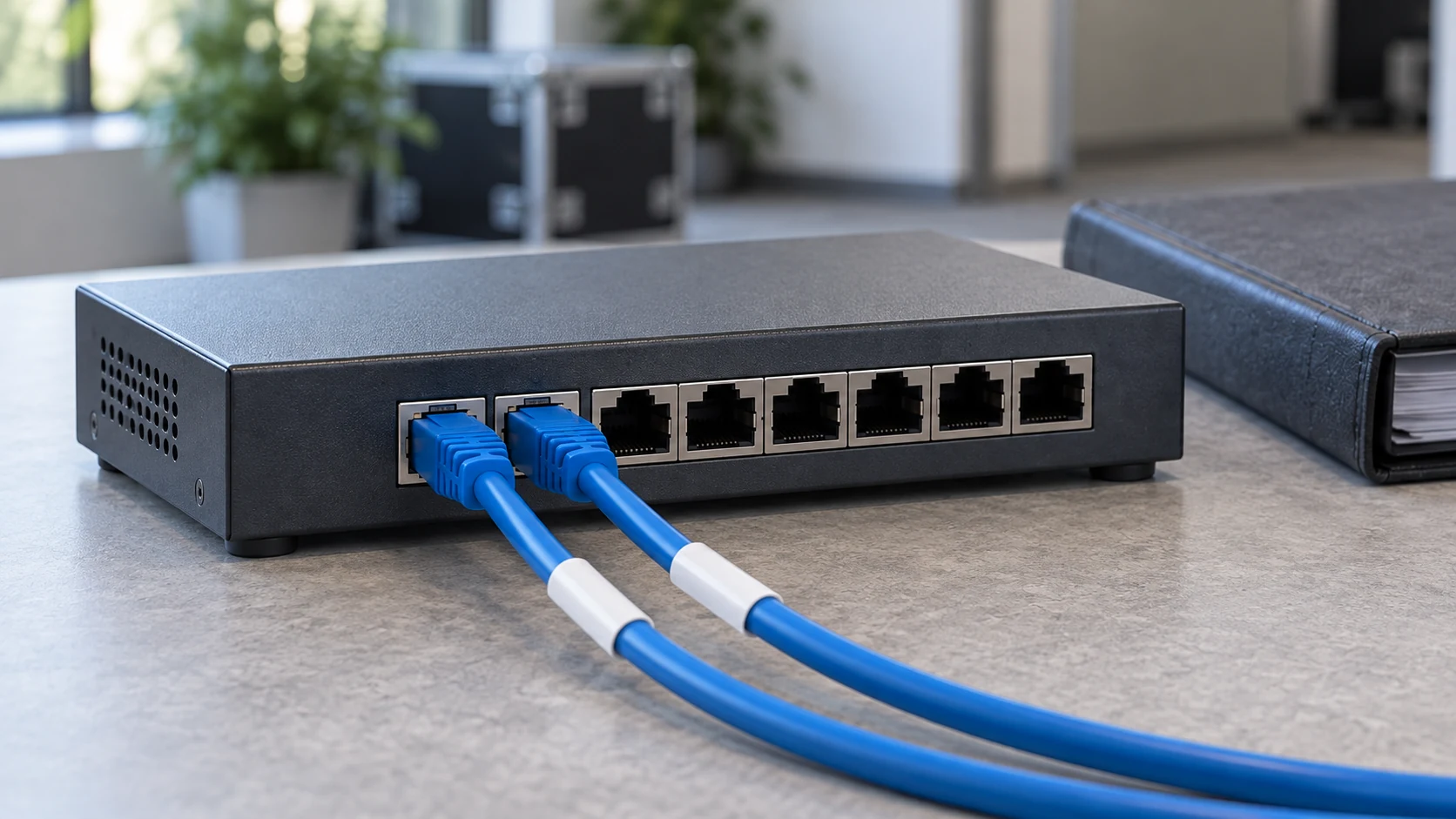
Separate display-output leads from management-network patching in the documentation and local identification scheme. Photograph the completed arrangement after installation and note approved deviations. Keep the photo as supporting context, not a substitute for the port schedule: perspective can hide a socket or obscure where a cable ends.
Attach the current drawing and device list to the controlled LED display configuration backup. Store credentials separately in the buyer’s approved system. A backup folder should tell a future technician which configuration belongs to which endpoint without exposing the access needed to change it.
Test the permanent arrangement before signing acceptance
Use a staging system or an approved commissioning window, with IT and AV owners present. Identify each connection before a controlled interruption; do not unplug an unknown lead or experiment on a live public screen. Record the expected result, observed result and recovery for every agreed check.
- Normal operation: confirm the intended picture, content workflow and management functions on the approved permanent connections, not only the integrator’s temporary laptop setup.
- Ownership: have the buyer’s designated administrator complete an authorized routine task using the approved access route.
- Management unavailability: test only the identified management connection and record whether picture output, local operation and reporting behave as specified.
- External service unavailability: test the agreed cloud-dependent functions separately from local display transmission and document the resulting limitations.
- Support closure: complete an approved supplier session, then confirm that its temporary access is closed and the normal operating workflow still works.
- Recovery and records: restore the approved state, confirm any required synchronization or reconnection, and update the as-built register.
Do not accept a dashboard screenshot as proof of every check. A player appearing online does not establish that the displayed picture is correct or that supplier access has been removed. Assign each observation to the person able to verify it. For display-output interruptions, keep the separate signal-loss recovery plan in scope rather than mixing that behavior with management-network loss.
Who owns the final records and the quotation scope?
Ask for a named owner for each deliverable. The supplier provides model-specific connection and software requirements. The integrator produces the installed port map and coordinates tests. IT approves network enrollment, communication policy and remote access. The operating team owns routine use and escalation. Purchasing records what is included and what remains an open item.
A practical AV network handover package includes the following records, with a revision date and acceptance owner:
- As-built drawing showing the display path and IP-connected devices.
- Endpoint and physical cable registers with approved addressing information.
- Communication schedule distinguishing ongoing and commissioning-only needs.
- Account, service and supplier-access ownership record, without embedded secrets.
- Model and software-version register linked to controlled configuration backups.
- Witnessed acceptance results, exceptions, recovery notes and photographs.
- Support contacts, change-approval route and responsibility for future record updates.
Make exclusions visible in the quote. Network switches, permanent cabling, IT attendance, subscriptions, workstation software and repeat commissioning may belong to different parties. Compare offers against the same delivery boundary instead of assuming “network ready” includes them all. A pending IT approval should have an owner and target date, not disappear into the installation allowance.
After acceptance, a changed controller, firmware, player or cloud service may require review of the affected requirements. Use the firmware version-control guide to keep the approved configuration identifiable. Do not silently reuse an old network schedule for a materially different system.
Conclusion: approve the boundary before the opening date
Good LED display network handover turns connectivity into a documented, testable scope. Separate similar-looking interfaces, define necessary communications, assign access owners and verify the permanent arrangement. The useful acceptance question is not simply whether the wall plays today. It is whether the buyer can operate and support it through the approved infrastructure tomorrow.
To discuss a project with Mirun, send the screen application and dimensions, proposed controller and player, site count, local or cloud content workflow, IT connection constraints, support expectations and installation schedule. Contact the LED display project team to review the display-side requirements and identify the items that need joint approval with your integrator and IT team.
Buyer FAQs
Does every LED receiving card need a corporate IP address?
Do not assume so. Identify which components are IP endpoints in the proposed system and which belong to the manufacturer’s display-transmission chain. The exact architecture determines the register. Ask for the model-specific topology before requesting addresses or switch ports.
Is a dedicated VLAN enough to approve an LED system?
A VLAN name alone does not establish the permitted communication, remote-access process or operational test results. IT must review the boundaries and controls appropriate to the deployment. The handover should show the approved arrangement and evidence that the required functions work within it.
Can a buyer accept the screen before IT approves connectivity?
The buyer can agree separate milestones, such as a local picture test followed by network acceptance. State clearly which functions remain unaccepted, who owns each unresolved requirement and what payment or handover condition applies. Do not label the complete connected system accepted because only the picture test passed.
Need help choosing the right LED display?
Tell us your installation scene, screen size, pixel pitch target and timeline. Mirun Hailian can help match the right product configuration.