Your LED display is commissioned, the picture looks good, and the installer is ready to leave. Then someone asks a basic question: who on the local team actually knows how to restart the system, replace a module, identify a failed power supply, or call support with the right information? Without planned LED display maintenance training, even a small fault can turn into hours of confusion and unnecessary downtime.
This buyer-focused guide explains what training should cover, who should attend, which practical exercises to request, and what evidence belongs in the project handover package.
Define Who Needs LED Display Maintenance Training
Different people need different depth. An operator may only need normal startup, source selection, brightness presets, and incident reporting. A facility technician may need safe access, visual inspection, module replacement, cable checks, and controlled configuration restoration. An IT team may own network access, monitoring, passwords, and software updates.
| Role | Training priority | Expected outcome |
|---|---|---|
| Daily operator | Startup, shutdown, source control, approved presets | Run the display without changing protected settings |
| Facility technician | Access, inspection, module and component identification | Handle basic service and collect useful fault evidence |
| IT or AV team | Network, control computer, backups, permissions | Support connectivity and recover approved configurations |
| Event or content team | Content format, scaling, playback, emergency fallback | Prevent source-side problems during operation |
| Manager | Escalation, warranty boundaries, spare-parts ownership | Make faster service and approval decisions |
List the participants before commissioning. If training is added at the last minute, the right people may not be available and the installer may not bring the demonstration parts or translated material your team needs.
Separate Operator Tasks From Service Tasks
A common training mistake is giving everyone full access to every setting. Define which tasks are normal operations, which require a trained technician, and which should remain with the supplier or authorized service partner. This reduces accidental configuration changes and keeps safety responsibilities clear.
- Normal operator: approved power sequence, input selection, brightness mode, basic status check.
- Local service team: cabinet access, module removal, visual cable inspection, spare-part identification.
- IT or AV administrator: authorized accounts, network connection, software and configuration backups.
- Supplier support: advanced diagnosis, firmware decisions, calibration restoration, and warranty review.
Connect these roles to your LED display warranty terms. Buyers should know which work is allowed locally and which actions may need supplier approval.
Make the Training Hands-On
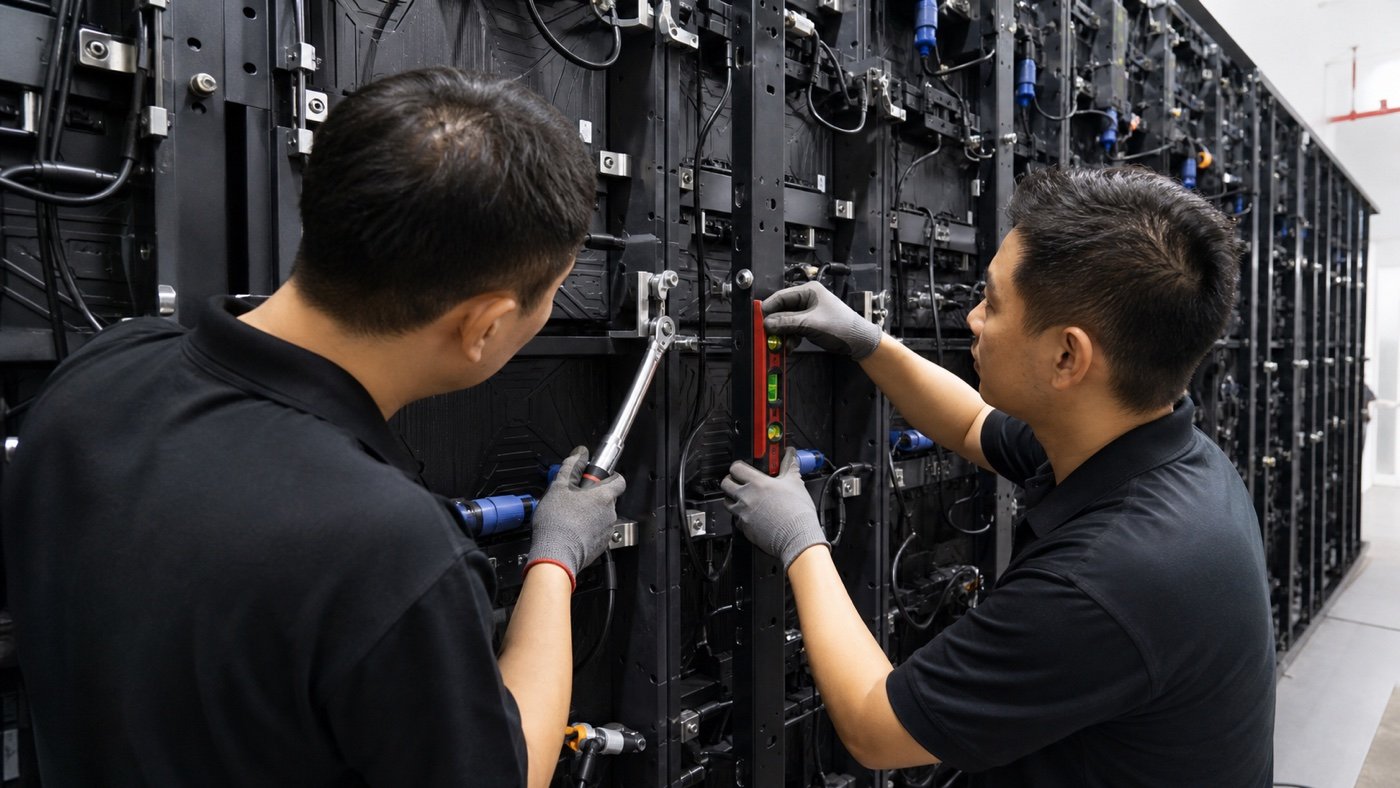
Slides and manuals are useful references, but they do not prove that a technician can find the correct cabinet or remove a module without damaging nearby parts. Ask for supervised exercises on the actual system or a matching demonstration cabinet.
- Identify the controller, receiving cards, power supplies, modules, and signal path.
- Follow the approved startup and shutdown sequence.
- Locate a cabinet using the screen map and port plan.
- Remove and reinstall one module using the correct tools.
- Replace a representative spare component in a powered-down test condition.
- Recognize common symptoms such as one dark module, a black cabinet section, or a source problem.
- Collect photos, indicator status, software screenshots, and event details for support.
- Restore an approved preset or backup in a controlled demonstration.
For front- or rear-access procedures, align the lesson with the selected service design. Our front-service vs rear-service guide explains why the physical training steps can differ.
Include Configuration and Content Recovery
Not every black screen is a hardware failure. The source computer, scaling, input selection, controller preset, or network connection may be responsible. Teach the team how to separate a content problem from a signal, power, or cabinet problem before replacing parts.
The handover should include an LED display configuration backup, a screen connection map, approved presets, and version notes. During training, show where those files are stored, who can access them, and when the local team should stop and contact support.
Build the Spare-Parts Lesson Around the Delivered Kit
Generic service training is less useful if the local team cannot identify the actual spares. Open the delivered kit, match each part to the bill of materials, and label its storage location. Explain handling, compatibility, and any information the support team needs before authorizing replacement.
Use the session to verify your LED display spare-parts plan. Record quantities, part references, cabinet or module compatibility, and the person responsible for inventory after each service event.
Request a Complete Training Package
A useful package should remain understandable after employees change. Ask for concise documents that match the installed project, not only a generic product catalog.
- System overview and final signal-flow diagram
- Startup, shutdown, and normal operating procedure
- Cabinet map and service access plan
- Approved tools and basic replacement procedure
- Configuration backup and restore notes
- Spare-parts list and storage record
- Fault-report template with required photos and status details
- Warranty boundaries and escalation contacts
- Training attendance and competency record
- Short project-specific demonstration videos when practical
Verify Competency Before Sign-Off
Training is complete when the local team can perform the agreed tasks, not when the instructor reaches the last slide. Use a simple practical sign-off. Ask participants to explain the signal path, find one cabinet on the map, complete an approved module-removal exercise, gather fault evidence, and identify when they should escalate.
Record any open questions and assign an owner before final acceptance. If a replacement employee joins later, use the same materials and exercises for refresher training instead of relying on informal handover.
Common Training Red Flags
- Only one person attends and no backup operator is trained.
- The session uses a different cabinet or controller from the installed project.
- No one practices a real maintenance task.
- Passwords and advanced settings are shared without access roles.
- The training does not cover configuration files or fault reporting.
- Materials are generic and do not show the final screen map.
- Training occurs before commissioning changes are complete.
The Buyer Takeaway
Good LED display maintenance training gives each person the right level of knowledge, includes hands-on practice, and leaves behind project-specific materials. Put the training scope, participants, exercises, and sign-off requirements in the order before the installation team arrives.
Send Mirun Hailian your screen type, service method, local team roles, spare-parts plan, and preferred training language. Contact our LED display project team to discuss a practical handover scope for your project.
Need help choosing the right LED display?
Tell us your installation scene, screen size, pixel pitch target and timeline. Mirun Hailian can help match the right product configuration.