A front-service LED display can look almost identical to a rear-service model in a quotation. The difference becomes very real when a module fails after installation. Can a technician replace it from the viewing side in ten minutes, or does the team need to open a wall, move equipment, build an access platform, or partially dismantle the screen?
For B2B buyers, front service vs rear service LED display design is not a minor cabinet option. It affects wall depth, structural planning, cable routing, labor, downtime, spare parts, and even the usable floor area around the screen. The right choice starts with the actual site, not with whichever cabinet looks thinner in a product photo.
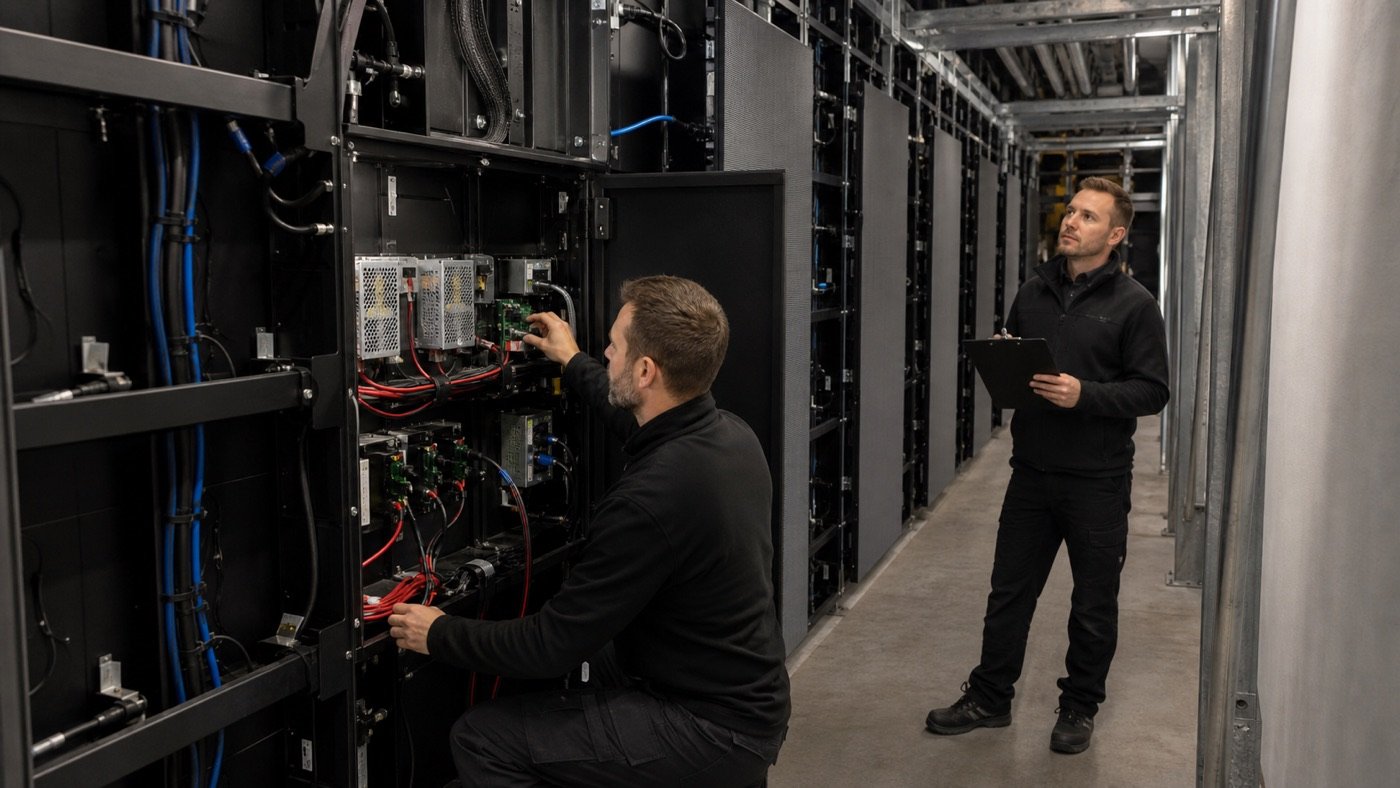
Start with the room around the screen
The maintenance method should match the finished installation, not the empty construction site. A screen mounted against a solid lobby wall has a very different service environment from a roadside billboard with a rear catwalk. Before asking for a cabinet recommendation, send the supplier wall drawings, screen position, finished surface, nearby equipment, floor level, and any restricted areas.
Use the LED display installation site checklist to confirm structure, power, control wiring, unloading, and access before the cabinet layout is frozen. A maintenance route that exists only on an early drawing is not a maintenance route.
What front service actually needs to provide
Front service means technicians can remove and replace specified components from the display face. Depending on the product, that may include LED modules, power supplies, receiving cards, hub boards, or complete internal service units. Do not assume every part is front-removable just because the brochure says “front maintenance.”
- Ask which components can be reached from the front and in what order.
- Confirm the removal tool, tool clearance, and whether the module uses magnets, screws, latches, or another fixing method.
- Check how power and signal connectors are protected while a module is removed.
- Ask how technicians avoid scratching neighboring modules or damaging LED edges.
- Confirm whether the first and last rows need extra clearance from the floor, ceiling, trim, or side walls.
Front service is often the practical choice for control rooms, retail walls, meeting rooms, broadcast backgrounds, lobbies, and other locations where there is no rear corridor. It can reduce structural depth, but the finished wall still needs enough front working space for tools, lifting, and temporary component placement.
When rear service makes more sense
Rear service gives technicians access from behind the LED wall. It is common where a permanent service corridor, platform, cabinet walkway, or open structure is already part of the project. For large outdoor screens, stadium installations, and some fixed indoor systems, rear access can make cable inspection and cabinet-level replacement more straightforward.
The tradeoff is space and infrastructure. The corridor must remain usable after all steelwork, power distribution, ventilation, and signal equipment are installed. Doors need room to open. Technicians need lighting and a safe path to the cabinet being serviced. A narrow gap full of cables is not the same as service access.
| Decision point | Front-service design | Rear-service design |
|---|---|---|
| Typical site fit | Screen close to a solid wall or finished interior surface | Screen with a permanent rear corridor, platform, or open structure |
| Wall depth | Can be shallower, subject to structure and ventilation | Needs working depth behind the display |
| Component access | From the viewing side using the specified removal method | From cabinet doors or service openings behind the wall |
| Public-area disruption | Service work happens in front of the screen | Many tasks can stay behind the display |
| Cable visibility | Internal routing must remain reachable through front openings | Rear corridor can simplify visual inspection and tracing |
| Best proof before ordering | Timed front removal and replacement test | Full-size corridor and door-clearance review |
Five questions that expose the real service plan
1. What is the technician’s physical path?
Trace the route from the building entrance to the failed component. Include doors, stairs, lifts, ceiling height, public barriers, catwalks, and equipment that may block access. If service requires a lift or scaffold, identify who supplies it and where it can stand.
2. Which parts are replaceable from that position?
Request a component-by-component answer for modules, receiving cards, power supplies, hub boards, fans, connectors, and cabinet wiring. Then connect that answer to the LED display spare-parts plan. A spare part is not very helpful if the installed structure prevents the team from reaching it.
3. How are power and signal isolated?
Ask the supplier to show the shutdown, isolation, labeling, and reconnection sequence used for normal maintenance. Buyers should also confirm how cables are supported so that opening a cabinet or removing a module does not pull on neighboring connections.
4. Can your local team repeat the replacement?
A factory technician may make the process look effortless. Ask someone who represents the future service team to repeat it using the supplied tools and instructions. Include this check in an LED display sample-order test when access is a key buying decision.
5. What does one service visit actually cost?
Compare more than cabinet price. Consider technician time, access equipment, venue closure, furniture removal, finish repairs, traffic control, and the time needed to diagnose the fault. The broader LED display maintenance cost guide can help procurement teams turn those details into a more realistic ownership comparison.
Put service access in the RFQ
| RFQ field | What the buyer should request |
|---|---|
| Maintenance direction | Front, rear, or mixed access, identified by component |
| Required clearances | Front working area, rear corridor depth, door swing, edge clearances |
| Removal method | Tools, sequence, attachment type, handling precautions |
| Service evidence | Uncut replacement video, drawings, component map, and estimated task time |
| Local service needs | Skill level, training, lifting equipment, isolation steps, number of technicians |
| Handover package | Tools, labeled spares, configuration files, diagrams, manuals, and contacts |
Ask suppliers to mark the access direction on cabinet and structural drawings. The quotation should also state whether decorative trim, acoustic panels, cladding, or weather covers must be removed before routine service begins.
Run a service test before final acceptance
Do not limit acceptance to image quality. Select a module in an easy location and another near an edge, corner, floor, or structural obstruction. Have the agreed team remove the component, install a labeled spare, reconnect it, load the correct configuration, and confirm visual matching. Add the results to the pre-shipment quality checklist, then repeat the practical sequence after installation.
- Record the actual time from shutdown to normal operation.
- Verify that the supplied tool works at the screen edges.
- Check that connectors and cables are not strained or left loose.
- Confirm the replacement module displays the correct configuration.
- Inspect color and brightness matching at normal operating levels.
- Photograph the final cable routing and save the maintenance record.
Watch for these proposal red flags
- The quotation says “front service” without listing front-removable components.
- The rear corridor is shown before cables, power boxes, and structural bracing are added.
- No clearance is reserved at the first row, top row, corners, or side trim.
- The supplier demonstrates module removal but not power-supply or receiving-card access.
- Special tools are required but not included in the shipment or spare list.
- The replacement process depends on one factory technician and has no local training plan.
The takeaway for B2B buyers
Front service and rear service are not automatically good or bad. The right design is the one your technicians can use safely and repeatedly after the structure, finishes, wiring, ventilation, and surrounding equipment are all in place. Define the access path, list replaceable components, test the actual tools, and price the labor around a real service visit before approving the cabinet.
To compare practical cabinet options, send Mirun Hailian your screen size, site photos, wall section, available front and rear clearance, installation height, service team location, and expected operating schedule through the project inquiry form. We can use those details to prepare a quotation and maintenance approach around the space you actually have.
Need help choosing the right LED display?
Tell us your installation scene, screen size, pixel pitch target and timeline. Mirun Hailian can help match the right product configuration.