Your architect approves the screen size, your content team prepares a 16:9 video, and then someone notices the LED wall is not actually 16:9. Now you have black bars, cropped graphics, or a last-minute request to rebuild the content. This is a common B2B project problem because physical size, pixel pitch, native resolution, aspect ratio, and controller capacity are often discussed in separate conversations. LED display resolution planning brings those decisions together before the cabinet layout is locked.
Physical size and native resolution are different
Physical size tells you how wide and tall the screen is. Native resolution tells you how many physical pixels are available across that surface. Two screens can have the same dimensions but very different resolutions when they use different pixel pitches.
Horizontal pixels = screen width in millimeters ÷ pixel pitch in millimeters
Vertical pixels = screen height in millimeters ÷ pixel pitch in millimeters
For example, a 6.144 m × 3.456 m screen using a 2.4 mm pixel pitch would calculate to 2,560 × 1,440 pixels. That result also has a 16:9 aspect ratio. It is a clean illustration, but a real screen must still be built from the supplier’s available module and cabinet sizes. The final dimensions may need to move slightly so every row and column uses complete hardware.
This is why a rounded architectural size is not enough for production. Ask the supplier for the exact active display dimensions, cabinet quantity, pixels per cabinet, and total native resolution. If you are still comparing pitch options, our guide on choosing an LED display without getting lost in the specifications explains how pitch should also relate to viewing distance and application.
Pixel pitch changes pixel count, not the content shape
A smaller pixel pitch places more pixels inside the same physical area. That can improve detail at a close viewing distance, but it also increases the total pixel count the video system must process. It does not automatically fix a poor aspect ratio.
| Decision | What it changes | What to confirm |
|---|---|---|
| Screen width and height | Physical viewing area and aspect ratio | Available space and content format |
| Pixel pitch | Pixel density and native resolution | Viewing distance, detail, and budget |
| Cabinet and module size | Possible production dimensions | Whole rows and columns with no partial cabinet |
| Controller configuration | How pixels are mapped and driven | Total capacity, input format, and outputs |
| Content canvas | How artwork fills the screen | Exact pixel dimensions and safe areas |
When comparing two quotes, check whether both suppliers used the same final active dimensions. A change in cabinet size can alter the screen ratio even when the quoted width and height look almost identical. Put the approved active dimensions in your LED display project brief so the supplier, architect, and content team are working from one number set.
Choose the aspect ratio before finalizing the cabinet layout
Many video assets are produced in 16:9, but plenty of commercial LED projects are intentionally ultrawide, vertical, curved, or custom shaped. There is nothing wrong with a non-standard ratio. The problem starts when the content team expects one shape and the physical screen delivers another.
- Boardrooms and presentation spaces: review common presentation and conferencing formats.
- Retail and transportation: confirm whether content is landscape, portrait, or split into zones.
- Stages and events: coordinate the LED canvas with the media server and show design.
- Outdoor advertising: check the advertiser’s delivery specification and planned content templates.
- Creative installations: define which areas are active, masked, or intentionally irregular.
Ask the content owner for sample files before production approval. Then decide whether the content should be cropped, letterboxed, pillarboxed, stretched, or redesigned for the actual canvas. Stretching is usually the least attractive answer because circles become ovals and people look distorted.
Map the screen and controller as one system
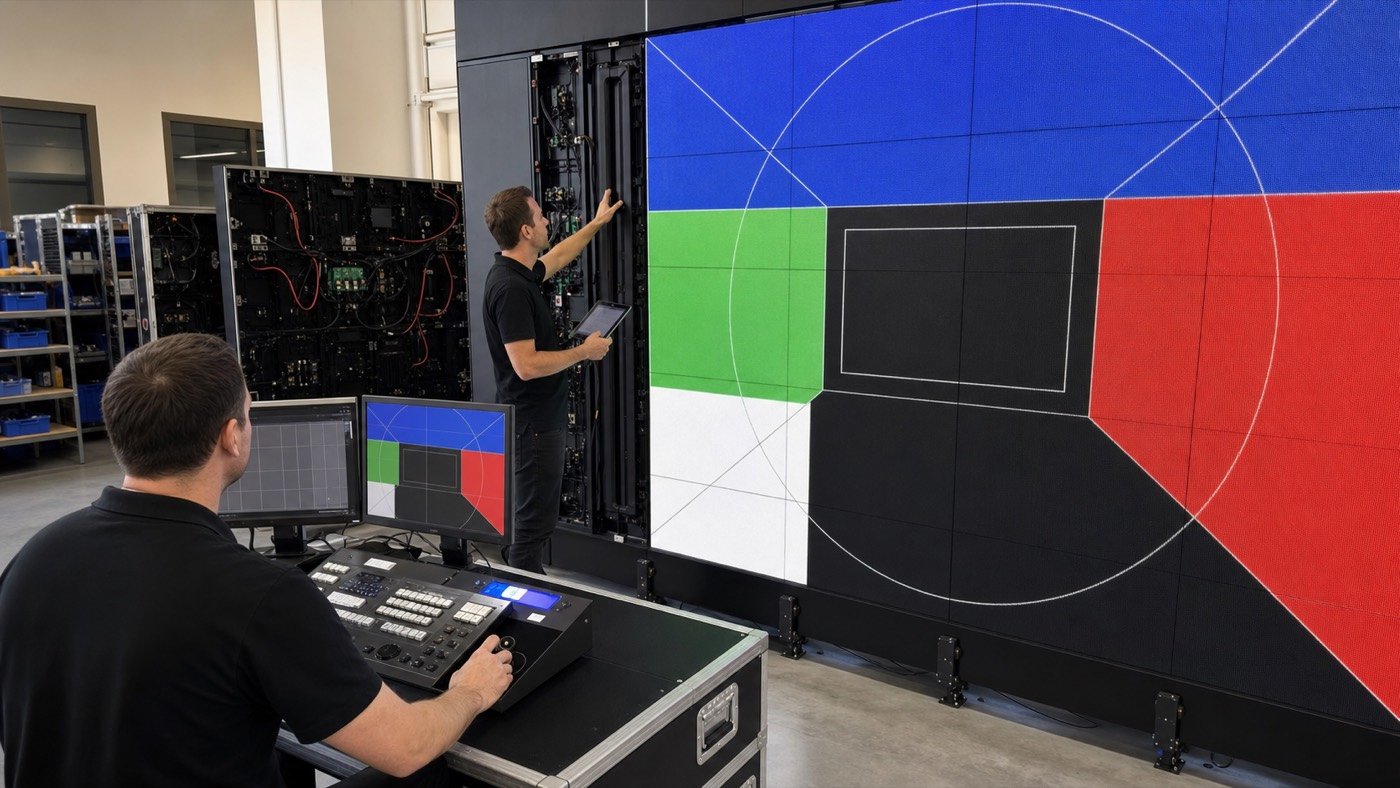
The display controller must support the complete pixel canvas, but total pixel capacity is only one check. The supplier should also confirm maximum width and height limits, output-port allocation, cabinet load per data path, input formats, backup requirements, scaling method, and how the screen is divided across processors when more than one device is used.
Request a signal-flow diagram and a cabinet mapping file for the final configuration. The diagram should show the content source, processor, sending hardware, network paths, and screen sections. For a permanent installation, agree on who keeps the editable configuration file and who can restore it after a controller replacement. The same questions belong in a commercial LED video wall buying review.
Give the content team an exact delivery specification
“Make it 4K” is not a complete content brief. If the LED wall has a non-4K native canvas, the processor will need to scale, crop, or position the incoming signal. Sometimes that workflow is perfectly acceptable. It just needs to be intentional and tested.
- Final active screen width and height
- Native horizontal and vertical pixel count
- Exact aspect ratio or decimal ratio
- Preferred content canvas and frame rate
- Accepted file, codec, or live-input formats
- Safe areas for text, logos, and critical graphics
- Rules for crop, scale, letterbox, or split-screen layouts
- Color-management and brightness assumptions for the venue
- Test-file deadline before installation or shipment
For a sample or prototype order, load real customer content instead of relying only on factory demo footage. Our LED display sample test guide covers the broader checks that should happen before bulk production.
Watch for these resolution-planning red flags
- The quote lists screen size and pitch but no native resolution.
- The resolution is calculated from rounded dimensions instead of the actual cabinet layout.
- The supplier says the screen is “16:9” without showing the exact width-to-height ratio.
- The controller model is named, but port allocation and total load are missing.
- The content team has not received the final pixel canvas.
- No one has defined how mismatched input content will be scaled or cropped.
- Mapping files and controller backups are not included in the handover package.
Any one of these can create avoidable rework. Before shipment, test the full native canvas with grids, lines, circles, solid colors, motion, and real content. Confirm that cabinet order, data mapping, and displayed geometry match the approved drawing. Add the results to your pre-shipment quality checklist.
A practical approval sequence for B2B buyers
- Collect the available installation dimensions and the content owner’s preferred ratio.
- Compare practical pixel pitches for the viewing distance and application.
- Build the screen from actual module and cabinet increments.
- Calculate native resolution from the final active dimensions.
- Confirm controller capacity, data paths, input format, and backup plan.
- Issue an exact content-delivery specification.
- Test real files and the complete pixel canvas before shipment or handover.
The key is simple: approve the physical screen, pixel canvas, control system, and content workflow together. That prevents a technically working LED wall from becoming a frustrating content problem.
For a project-specific resolution review, send us the available width and height, viewing distance, preferred pixel pitch, content format, and video source. We can use those details to prepare a cabinet layout, native-resolution calculation, and controller information for your team to review.
Worked Resolution Example: 4.8 m x 2.7 m at P2.5
Convert the physical size to millimeters, divide by pixel pitch, then confirm the result matches an integer cabinet layout.
| Step | Calculation | Result | Procurement check |
|---|---|---|---|
| Width pixels | 4800 mm / 2.5 mm | 1920 px | Matches Full HD width. |
| Height pixels | 2700 mm / 2.5 mm | 1080 px | Matches Full HD height. |
| Total pixels | 1920 x 1080 | 2,073,600 | Confirm controller output capacity. |
| Cabinet layout | 600 x 337.5 mm cabinet | 8 x 8 cabinets | Physical size closes exactly with no partial cabinet. |
Need help choosing the right LED display?
Tell us your installation scene, screen size, pixel pitch target and timeline. Mirun Hailian can help match the right product configuration.