A maintenance team finds a dark cabinet, opens the spare-parts carton and sees several modules that look alike. The purchase order identifies the screen model, but nobody can connect the installed unit to its production batch, approved replacement or latest configuration. The missing information can turn a straightforward service question into a search through old messages.
LED display traceability should connect each relevant item’s identity to its shipment, installed location, approved technical records and replacement history. Agree on the record format before dispatch, reconcile it when equipment arrives and update it after changes. A serial-number photograph is useful, but it is not a complete traceability system—and a matching batch reference is not proof of compatibility.
This guide is for buyers planning the handover and long-term service of an LED installation or rental inventory. It proposes a practical project register, not a claim that every supplier assigns the same identifiers or that a specific traceability standard is legally required for every LED wall.
Keep identity, batch and position in separate fields
The simplest mistake is using one field called “screen number” for several different things. A model describes a product type. A batch identifies a production grouping defined by the manufacturer. A serial number or another agreed item ID identifies a particular unit within a stated scope. An installed position describes where that unit is currently used.
| Record field | What it answers | What it does not establish |
|---|---|---|
| Model and revision | Which hardware design is this? | Which individual unit or production lot? |
| Batch or lot reference | Which manufacturer-defined group does it belong to? | That every item in the group is identical or fault-free |
| Individual item ID | Which particular unit is being tracked? | Its current position or approved replacement status |
| Installed position | Where is the item in this screen now? | That it is the same item fitted at commissioning |
State the scope of each identifier. A cabinet may have a manufacturer serial number, an integrator asset tag and a software-assigned cabinet number. Preserve those as separate linked fields instead of assuming they are interchangeable. If a part has only a lot reference, record that limitation; do not invent individual serial numbers and present them as manufacturer records.
GS1’s explanation of the traceability process links product information, records captured during the physical movement of goods and later trace requests, with checks on data completeness and accuracy. For an LED project, the useful lesson is to preserve the relationship between equipment and records, not merely attach a label. This guide does not imply that Mirun uses GS1 identifiers or that buyers must purchase a particular software platform.
Build the shipment-to-installation link
Ask the supplier for an agreed inventory file before dispatch. It should identify the order, cabinet model and revision, supplied item IDs where available, relevant batch references and the carton or case containing each item. Include spare parts as their own entries rather than hiding them in a total accessory quantity.
Confirm what the supplier means by “batch.” A finished cabinet lot, module lot and LED component lot may be different references. Buyers do not always need access to every internal production record, but they do need a clear explanation of which references will support a service investigation and who can retrieve the underlying information.
On receipt, reconcile the equipment against the actual packing list. Check the agreed identifiers, quantities, packaging references and any visible discrepancies under the supplier’s handling procedure. Retain readable photographs of real labels where they exist, plus an overall view linking the label to the item. A folder of close-up labels with no equipment context can be difficult to use later.
Keep discrepancies visible. An unreadable ID, a duplicate entry or a cabinet absent from the inventory should receive an exception record and a named person to resolve it. Do not silently replace the supplier’s number with a guessed value. Where an owner-assigned asset tag is needed, retain the relationship to the supplier’s available identification.
At commissioning, connect this received inventory to the installed wall. Define the viewing orientation and coordinate origin on the location drawing. “Second cabinet on the left” is ambiguous if one person is looking from the front and another from the rear. Record the relevant module position inside a cabinet where module-level tracking is part of the agreed scope.
Record changes without rewriting the original history
Identity and location have different lifetimes. A cabinet can move to another position or another rental project while remaining the same physical unit. A replacement module can occupy an old location without becoming the old module. Keep the original receipt record and add a dated movement or replacement entry.
Consider a simple illustrative sequence, not a real customer record:
- A cabinet identified as Unit A is accepted and installed at the front-view position R2-C3.
- The same cabinet is later moved to R1-C1; its item identity remains Unit A, while its current location changes.
- A module is replaced inside Unit A; the record links the removed part, new part, affected position and service event.
The service event should state the date, responsible technician or organization, reason reported, action performed and approval result. Record the destination of the removed part: awaiting inspection, returned to the supplier, repaired, held as a spare or retired under the owner’s procedure. Keeping a removed component on a shelf without changing its inventory status invites confusion.
Do not erase earlier observations after a successful repair. A previous fault report and the later acceptance result describe different moments. Preserving both helps the team answer whether a problem repeated on the same item, the same location or several items from a related group. Those patterns can guide an investigation; they do not establish the cause by themselves.
Link configuration and calibration to the right scope
Hardware identification alone cannot reconstruct a working LED system. The service register should point to the applicable receiving-card configuration, firmware baseline and calibration records, with clear revision identifiers and the scope each file covers. Store the files separately in a controlled project archive and keep useful references in the register.
For example, the NovaLCT multimedia-player manual, version 5.6.1, distinguishes screen calibration databases based on pixel coordinates from cabinet databases organized by cabinet number. It describes different handling when a cabinet’s position changes. The same manual also limits module-ID functions to supported hardware. These software-specific details show why a file name or visible module number cannot be interpreted without knowing its meaning.
Ask the integrator to identify whether each reference follows a physical item, a screen location or a complete installation. Record any relationship between the software-assigned number and the manufacturer’s serial number. Do not change hardware IDs or upload an old calibration database simply to make the register appear tidy; use the approved service procedure for the actual system.
After an authorized hardware or configuration change, document which files were retained, revised or replaced and which version passed the agreed check. The LED display configuration backup guide covers preserving usable files; firmware version control covers the corresponding software baseline. Traceability provides the link back to the equipment and event.
Calibration records need the same discipline. Keep the applicable database or documented procedure with its hardware and layout scope, not just a screenshot of a satisfactory image. The LED color calibration guide explains the visual approval side. A complete record still requires confirmation on the repaired installation.
Keep spare inventory connected to the installed system
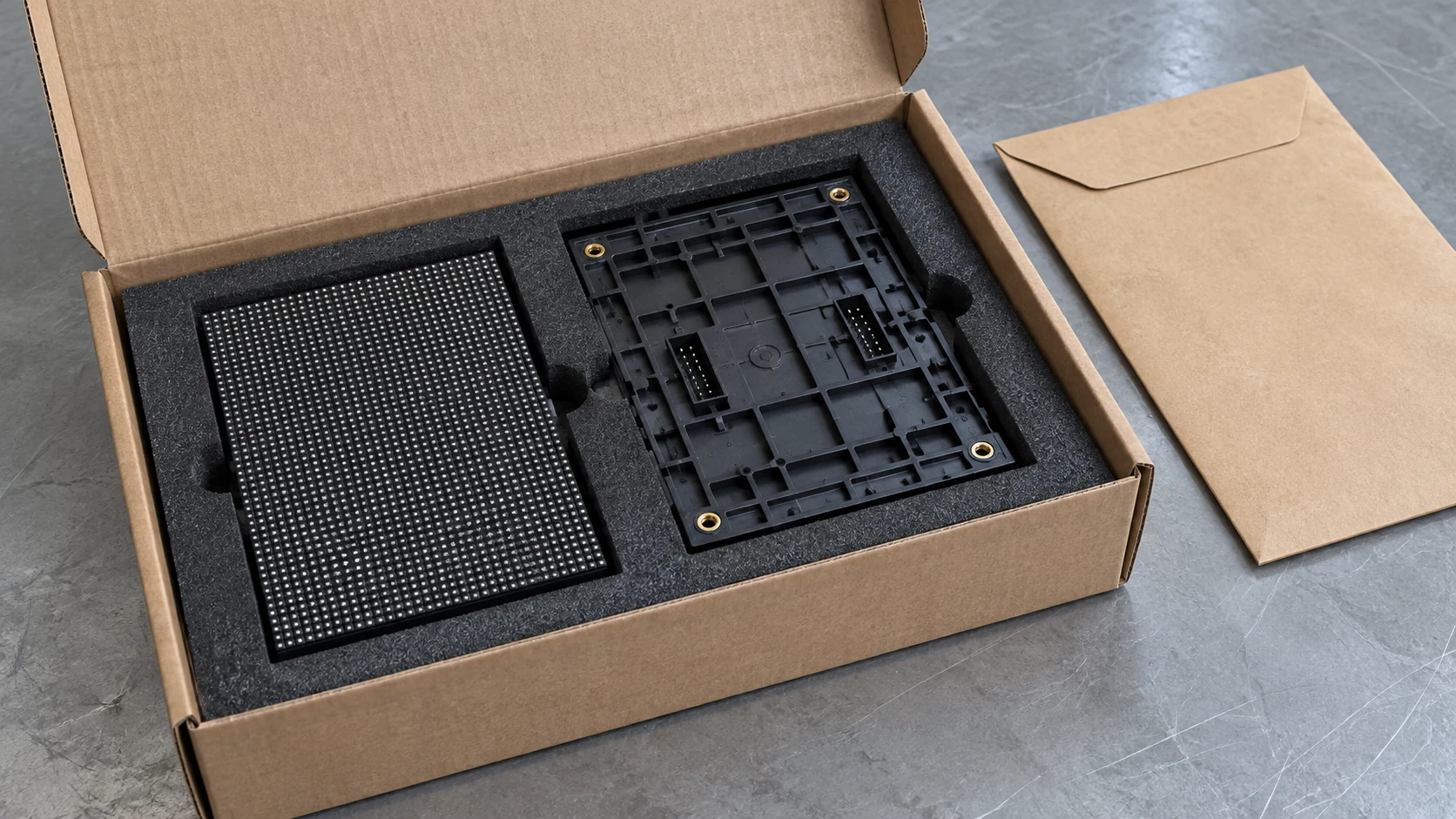
Create a spare register that identifies part type, model or revision, batch information where available, quantity, storage location and the installations for which the part is approved. When individual IDs are available, retain them. If several pieces are tracked only by lot and quantity, state that granularity so nobody expects a nonexistent item history.
Separate identification from qualification. Knowing where a module came from can help the supplier select evidence, but it does not prove mechanical, electrical, firmware or visual matching. The module compatibility guide addresses those checks. Mark a proposed replacement as awaiting approval until the relevant process is complete.
When a spare is used, reduce its available stock and connect the new installed record to the service event. Update the removed part separately. If a repaired part returns to stock, preserve its repair and acceptance history rather than counting it as an untouched new item. This is especially useful for rental fleets where equipment moves among cases and screen arrangements.
Agree on a readable inventory export as part of the spare-parts package. The delivery should support a service request even if the original salesperson is unavailable. A supplier’s internal database can be useful, but a buyer needs an accessible record of what was actually supplied and the contact responsible for retrieving further detail.
Accept the records with a retrieval exercise
A large spreadsheet is not automatically a useful handover. Ask the receiving or service team to perform a small retrieval exercise using the proposed archive. The exercise should use real supplied equipment and authorized read-only checks; it does not require disturbing a working wall or performing a live repair.
Select a cabinet and confirm that its available identification leads to the correct shipment entry and current position. Select a stocked spare and locate its part description and approval scope. Then choose a documented service event, or a clearly marked training example if no repair has occurred, and check that it links the old and new records without inventing a real repair history.
Finally, locate the applicable configuration or calibration reference and confirm that the responsible technician can explain its scope. If an identifier leads to an empty folder, an unexplained file or an inaccessible supplier account, record the gap before acceptance. Agree on a practical retrieval expectation for the team; there is no universal time limit appropriate for every project.
Name the owner of the asset register and the person who approves changes. The supplier can explain manufacturer IDs and batch scope. The integrator can provide the installed map and technical-file links. The operator can record movements, stock use and service events. Put these responsibilities in the handover scope so updates do not depend on informal messages.
Compare quotation deliverables explicitly: identification level, inventory export, installed-location map, spare register, technical archive references, training and later record updates. Ask which information is provided directly and which requires a future supplier request. Clarify retention, access and transfer arrangements under the project agreement rather than assuming a barcode guarantees indefinite support.
Keep credentials out of the general inventory export. Share the technical information needed for support through the owner’s approved route, and retain an editable working register plus a dated acceptance copy. A later service update should not make it impossible to see what was accepted at handover.
Questions buyers often ask
Does a barcode make the LED display fully traceable?
No. A barcode is a way to carry or retrieve an identifier. Traceability depends on the correct records behind it and their links to shipment, location and changes. Ask the supplier to demonstrate the lookup with actual equipment; do not approve it solely because a scanner reads something.
Does the same batch guarantee a matching spare module?
No. Batch information can support investigation and replacement selection, but it is not a substitute for the approved compatibility and visual checks. Ask what the batch reference covers and which evidence qualifies the proposed part for the installed configuration.
Can a useful system start with a spreadsheet?
Yes, if the agreed scale and workflow can be managed reliably that way. Define separate identity and location fields, clear references, a change history and one responsible owner. If several teams update equipment across sites, evaluate stronger controls rather than multiplying uncoordinated copies.
Make LED display traceability part of the handover
Useful LED display traceability leaves a record someone can follow: from an installed item to its received identity, relevant technical files and later service history. Establish those links before the first urgent repair, then keep them current. More labels alone do not solve missing relationships.
For a project discussion with Mirun, provide the number of screens or rental units, desired identification level, installation or fleet arrangement, spare-part scope and who will maintain the records. Include the required export and acceptance exercise. Send your LED display handover requirements so traceability deliverables can be reviewed alongside the hardware proposal.
Need help choosing the right LED display?
Tell us your installation scene, screen size, pixel pitch target and timeline. Mirun Hailian can help match the right product configuration.