An LED screen can look excellent from the center and noticeably weaker from the seats that matter most. Colors may shift, brightness can feel uneven, or content at the edge becomes harder to read. That is why an LED display viewing angle should not be accepted as one number copied into a quotation. B2B buyers need to connect the specification to the actual audience layout and verify it with representative content.
Whether you are planning a retail wall, conference room, control center, stage, lobby, or transportation display, this guide will help you define the viewing zone before ordering.
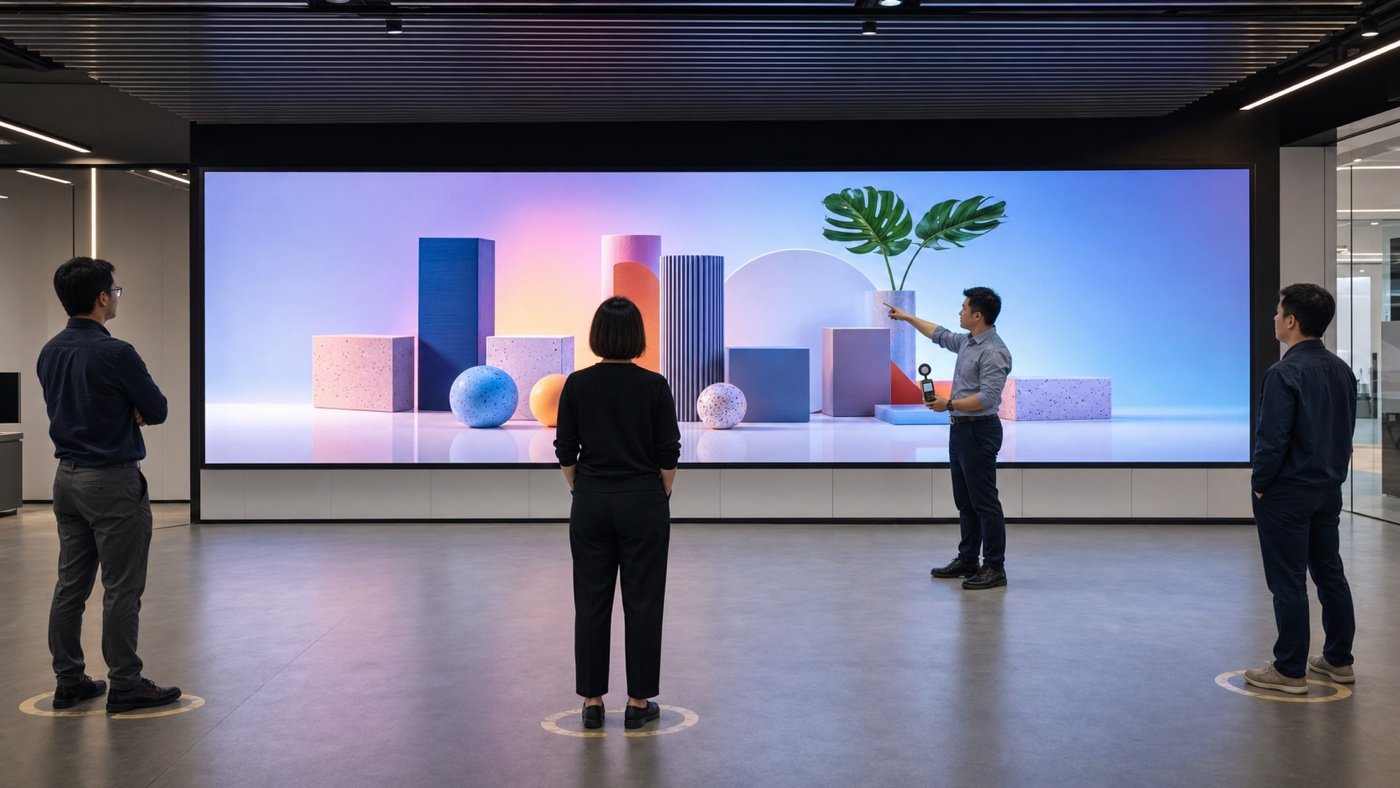
Start With the Audience, Not the Datasheet
Before comparing products, sketch where people will stand or sit. Mark the closest, farthest, leftmost, rightmost, highest, and lowest important positions. Then identify which of those viewers must read fine text, recognize faces, compare colors, or simply notice a large advertising image.
This audience map turns a vague request for a “wide angle” into a project decision. A narrow meeting room, a long retail aisle, and a wraparound event space can all need different proof even when the screen dimensions are similar.
Understand Horizontal and Vertical Viewing Needs
Horizontal viewing covers movement to the left and right of the screen center. Vertical viewing covers positions above and below it. Buyers often focus on horizontal width, but vertical placement matters for displays mounted high on a wall, above a concourse, below a balcony, or close to seated viewers.
| Project condition | Viewing risk | Buyer check |
|---|---|---|
| Long retail aisle | Customers approach from a sharp side angle | Test product images and prices from both directions |
| High-mounted lobby screen | Viewers stand below the display | Confirm vertical visibility and text readability |
| Wide conference room | Side seats see color and contrast differently | Review presentation slides from the outer seats |
| Stage side screen | Audience zones vary with seating layout | Mark required seats and test camera content |
| Control room wall | Operators need consistent detail across desks | Check small labels and alert colors from each workstation |
Viewing Angle Is Not the Same as Viewing Distance
These two decisions work together, but they solve different problems. Viewing distance helps you choose a practical pixel pitch and overall resolution. Viewing angle asks how the picture changes as the viewer moves away from the screen’s center line.
Use your audience map alongside an LED display resolution plan. A screen may have enough pixels for the closest viewer but still perform poorly for a critical side seat. Likewise, a wide-viewing product cannot fix text that is simply too small for the farthest viewer.
Ask How the Supplier Defines the Number
When a quotation states a horizontal or vertical angle, ask what performance threshold is used and how the result was measured. The useful question is not only “How many degrees?” It is “At the edge of that range, what change should we expect in brightness, color, contrast, and readability?”
Definitions and measurement methods can vary by supplier and component. Request a product-specific explanation, not a generic LED brochure. If the viewing zone is commercially important, include your acceptance positions and sample content in the purchase specification.
Test With Real Content at Real Brightness
Color blocks are useful for finding obvious shifts, but they are not enough. Test the content your audience will actually see: presentation slides, menus, schedules, brand colors, faces, maps, fine lines, dark scenes, and small type. Review both bright and lower-brightness operating modes because the visual result can feel different.
- Mark the center position and every critical side or vertical position.
- Use the final content resolution and expected scaling.
- Check white, gray, primary colors, skin tones, and dark images.
- Review text size and contrast from the farthest required position.
- Compare the left and right sides rather than testing only one direction.
- Record photos or video from fixed positions with consistent camera settings.
- Repeat the test at the planned operating brightness.
Brightness affects the comparison, especially in high-ambient-light spaces. Use the viewing-zone test together with your LED display brightness specification instead of choosing the highest headline value.
Check the Complete Screen, Not Just One Module
A module sample can help early in procurement, but the final screen includes cabinet alignment, module orientation, processing, calibration, and installation geometry. Review a representative assembled area at the factory when possible, then repeat the critical positions after installation.
If you are buying a fine-pitch or commercial video wall, pay special attention to off-center text and low-gray content. The broader commercial LED video wall buying guide can help connect these checks with pitch, resolution, service access, and room layout.
Add Viewing Positions to the RFQ
Give suppliers a simple plan instead of asking for “wide viewing.” Include the screen width and height, mounting elevation, audience area, closest and farthest distances, critical left and right positions, vertical positions, content type, and ambient-light conditions.
Ask the supplier to respond with the proposed product, stated viewing performance, test method, and any limits. This makes quotations easier to compare because everyone is working from the same room and audience assumptions.
Common Red Flags
- A very wide angle is listed with no definition or test basis.
- The supplier shows only front-center photos.
- The demo uses bright video but none of your text-heavy content.
- Vertical viewing is ignored for a high-mounted screen.
- The quoted sample differs from the final LED type or cabinet construction.
- No one has marked the actual side seats or traffic path.
LED Display Viewing Angle Checklist
- Audience plan with critical positions
- Horizontal and vertical requirements
- Closest and farthest viewing distances
- Representative content package
- Expected brightness modes
- Supplier measurement definition
- Factory test positions
- On-site acceptance positions
- Photo or video record of the final test
The Buyer Takeaway
A useful LED display viewing angle requirement starts with people and positions, not a maximum number. Map the audience, define what each group must see, test representative content, and put the acceptance locations into the RFQ.
Send Mirun Hailian your screen dimensions, room or site drawing, mounting height, audience layout, content examples, and brightness conditions. Talk with our LED display project team about a screen and test plan that fits the real viewing zone.
Need help choosing the right LED display?
Tell us your installation scene, screen size, pixel pitch target and timeline. Mirun Hailian can help match the right product configuration.