A poster LED display can look like the easiest screen in the project: roll it into position, connect power, and load content. The expensive problems usually appear when the buyer treats placement as an afterthought. A base can block a walkway, a cable can cross a door path, glare can weaken the message, or staff may discover that the screen cannot be serviced where it stands. This checklist helps overseas B2B buyers define poster LED display placement before asking suppliers to quote.
Start with the job the display must do
Write one plain sentence that explains the screen’s job. For example: “Welcome visitors and promote two products beside the showroom entrance,” or “Move between three exhibition areas during a four-day event.” That sentence affects location, content workflow, mobility, base design, cable routing, and the number of units.
If you are still comparing product families, review the LED poster display overview and the broader LED display product catalog. A poster format is useful when the project needs a slim, freestanding screen rather than a fixed video wall. It is not automatically the right answer for every entrance, storefront, or event aisle.
Measure the full placement zone, not only the screen face
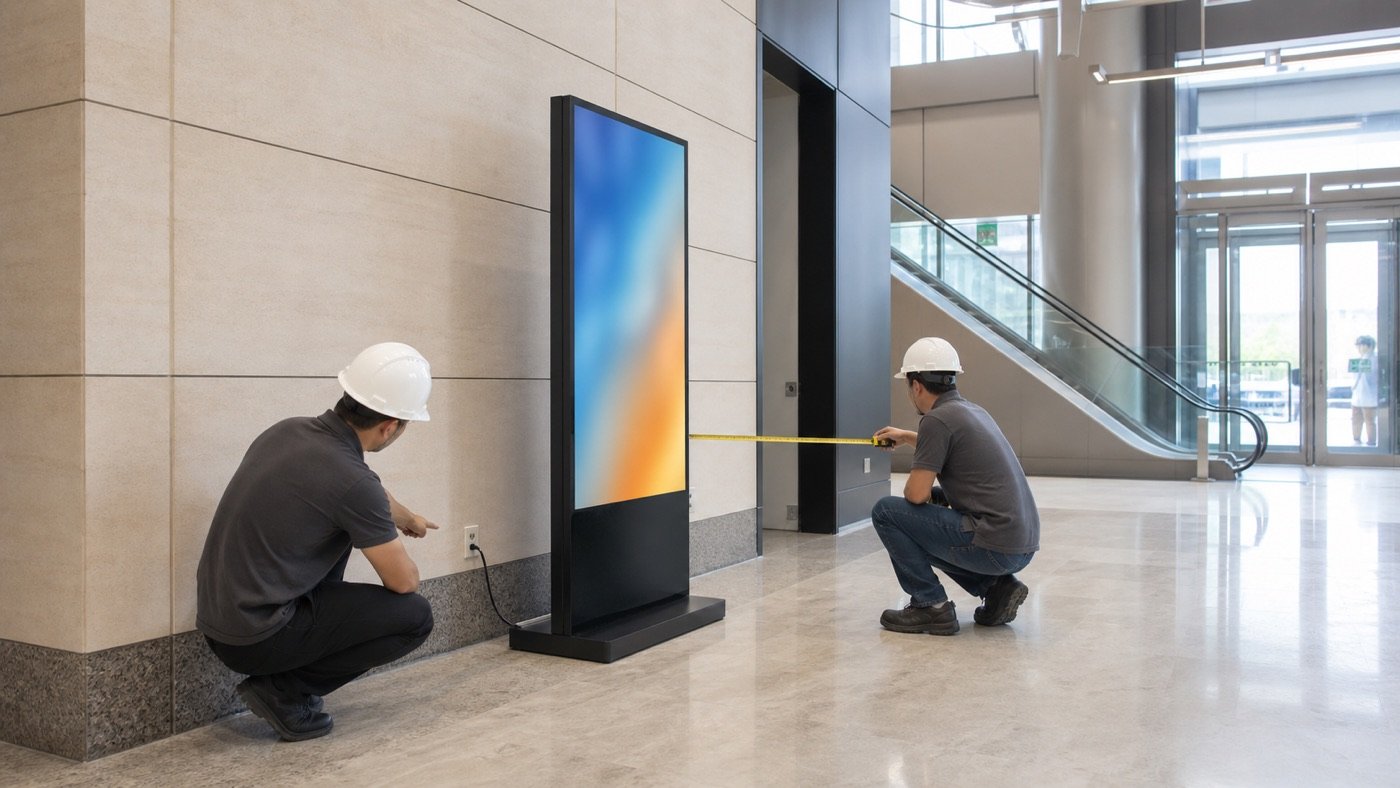
The visible display is only part of the footprint. Measure the base, cable route, wall clearance, nearby doors, furniture, queue lines, and the space people need to pass. Take measurements at the busiest expected time, because an empty showroom can hide circulation conflicts.
| Placement decision | What the buyer should check | Useful evidence for the RFQ |
|---|---|---|
| Floor area | Clear width and depth, base footprint, floor level, nearby furniture | Dimensioned sketch plus front and side photos |
| People flow | Entrance swing, queue position, emergency and service routes, cleaning access | Short walk-through video during normal use |
| Power route | Outlet location, cable distance, permitted cable cover, isolation point | Outlet photo and facilities-team notes |
| Viewing position | Typical first sightline, closest viewer, dwell time, reflections | Photos from two or three viewer positions |
| Movement | How often the unit moves, door and elevator dimensions, storage location | Movement route measurements |
| Service space | Access to modules, controls, connectors, and ventilation openings | Minimum available clearances around the proposed position |
Confirm power, cable routing, and the content source
Do not let “plug and play” replace a site check. Ask the supplier for the electrical requirements of the quoted configuration, then have the site’s qualified facilities or electrical team confirm the circuit, outlet, grounding approach, and local requirements. The screen should not depend on an extension lead crossing a customer path.
Power questions to resolve
- What are the maximum and typical power requirements for the exact quoted unit?
- Where are the power input, switch, and signal connections located?
- Can the cable stay behind the base, or does the route need an approved floor cover?
- How will staff isolate power before moving or servicing the display?
For a deeper comparison of quoted electrical data, use this guide to LED display power consumption. The goal is not to guess a universal number. It is to get a project-specific answer that the site team can review.
Content and network questions to resolve
Decide who changes content, from which device, and how quickly updates must appear. Ask whether the quoted workflow uses local storage, a dedicated player, a local network, or another method. If several poster displays must show synchronized content, state the number of units, layout, and whether they show one combined canvas or repeat the same program. Request a simple connection diagram rather than relying on a broad “remote control supported” statement.
Check viewing conditions at the real time of day
A position that looks good at 9 a.m. may face strong reflections in the afternoon. Photograph the proposed location from the viewer’s approach and note the brightest period. Record the closest normal viewing point and the distance where the message first becomes visible. These details help the supplier discuss pixel pitch and brightness without guessing from a floor plan alone.
Also review the content itself. A vertical poster usually needs a purpose-built portrait layout, large type, and a short message sequence. Tiny landscape artwork scaled into a tall screen wastes the format. Confirm the native content canvas and accepted file or input formats before your design team starts production.
Plan movement, base stability, and service access
“Movable” can mean occasional relocation by trained staff, not constant rolling through public areas. Tell the supplier how often the unit will move and across what surfaces. Measure doors, elevator openings, ramps, thresholds, and the storage position. Ask how the base is secured for use, which parts must be handled during movement, and whether transport packaging is needed between venues.
Base stability must be reviewed for the actual floor and traffic conditions. Keep the unit away from door swings, unstable surfaces, water exposure, and places where carts or luggage can strike it. Site safety and any anchoring decision should be approved by the buyer’s qualified local team. Do not accept a generic photo as proof that a different site is suitable.
Service access matters too. Ask the supplier to identify how modules, controls, power components, and cables are reached on the quoted design. Then reserve that space in the layout. The broader LED display installation site checklist can help align the screen supplier, facilities team, installer, and content owner before purchase.
Copy these fields into your RFQ
- Project type and the one-sentence job of the display
- Quantity of poster displays and whether they operate independently or together
- Available placement width, depth, and height, including the base area
- Indoor location, floor type, entrance or aisle conditions, and busiest traffic period
- Closest normal viewing distance and the main approach direction
- Power outlet position, cable route, and facilities-team constraints
- Content source, update method, portrait canvas, and synchronization requirement
- Movement frequency, door/elevator measurements, and storage location
- Required service access and the people responsible for installation and support
- Delivery country, requested schedule, site photos, floor plan, and acceptance owner
Compare supplier answers like for like
A useful quotation should connect the proposed unit to your stated site conditions. Compare the exact screen dimensions and base footprint, content-control method, electrical data, included accessories, service method, packing plan, and documents provided with the unit. Mark every assumption. If one supplier quotes a single standalone screen and another includes multi-unit synchronization, the totals are not directly comparable.
Before approval, ask for a configuration sheet, connection diagram, content template, and a drawing that shows the overall dimensions and connector positions. Agree on a practical acceptance checklist: exterior condition, base and fasteners, power-up, image uniformity, input or content update, included accessories, movement procedure, and documentation handover. Record project-specific tolerances in writing instead of adding them after delivery.
Ready to place a poster LED display?
Send the placement measurements, viewing photos, power route, content workflow, movement plan, quantity, delivery country, and schedule. Request a poster LED display configuration and use the checklist above to keep supplier comparisons grounded in the real site.
Need help choosing the right LED display?
Tell us your installation scene, screen size, pixel pitch target and timeline. Mirun Hailian can help match the right product configuration.