LED display fan noise should be approved as an installed-system result, not assumed from a “fanless” label or a cabinet data sheet. Buyers should test the actual screen after warm-up, at realistic brightness and content load, from the audience and microphone positions that matter. The test must also record room background noise, HVAC state, screen settings, and any structure or enclosure around the cabinets.
This approach separates ordinary airflow from tonal buzz, rattles, and vibration that may become distracting in a boardroom, broadcast studio, control room, house of worship, museum, or premium retail space. It also prevents a quiet demonstration cabinet from being treated as proof for a much larger installed wall.
Where does LED display fan noise come from?
LED display acoustic noise can come from several parts of the screen and its surroundings. Cabinet fans create broadband airflow and motor noise. Power supplies, transformers, inductors, and dimming electronics may produce a higher-pitched tone or buzz under certain loads. Loose doors, masks, cable trays, trim, or mounting hardware can rattle. A rigid wall or hollow enclosure can amplify vibration that was barely noticeable on a test bench.
External cooling also matters. An LED wall may have no cabinet fans but still require room air conditioning, a ventilated recess, extraction fans, or a dedicated cooling system. Those sources belong in the acoustic review if they operate whenever the display operates. Signal processors, distribution equipment, amplifiers, and rack cooling can contribute as well.
Ask the supplier to identify every normal sound-producing component and its control logic. A fan that runs continuously behaves differently from one that changes speed with temperature. The room may sound acceptable at startup and change after the display reaches a stable operating temperature.
Is a fanless LED display always quieter?
No. A properly engineered fanless LED display removes one mechanical sound source, but it does not guarantee a silent installation. Power electronics may still create tonal noise, and heat may require noisier building ventilation. Cabinet panels, wall finishes, and mounting structures may also transmit or amplify vibration.
Fanless designs can be a strong fit for quiet indoor spaces when passive heat paths, component temperatures, ambient limits, brightness, and installation depth have been validated together. Fan-cooled designs can also be suitable when fans are correctly selected, controlled, mounted, accessible, and tested at the required duty. Quietness and thermal reliability are connected, but neither should be sacrificed without engineering evidence. See the guide to LED display heat dissipation for the thermal questions behind that choice.
| Buyer question | Fanless design | Fan-cooled design |
|---|---|---|
| Main acoustic benefit | No cabinet fan motor or blade noise | Cooling can respond to temperature and load |
| Main risk to verify | Heat transferred to cabinets, structure, recess, and room | Airflow noise, fan tone, speed changes, wear, and vibration |
| Installation dependency | Passive airflow and room conditions must match the approved design | Air inlets, outlets, clearance, filters, and fan control must remain unobstructed |
| Maintenance evidence | Temperature records and cleaning instructions for passive paths | Fan life policy, replacement access, cleaning, and alarm behavior |
| Best approval evidence | Thermal and acoustic test in representative installed conditions | Acoustic test after warm-up at realistic load and fan speed |
Which project conditions change the acoustic result?
An acoustic requirement only becomes useful when it describes the site. A conference room used for speech and video calls has different priorities from a transportation hall with high background noise. In a studio, a nearby microphone may reveal a tone that is not obvious to a person standing farther away.
- Room function, occupancy, expected speech level, and recording or broadcast use
- Screen width, height, pixel pitch, cabinet quantity, and mounting arrangement
- Audience seats, presenter position, cameras, and microphone locations
- Typical and maximum brightness, image content, power load, and operating schedule
- Room temperature, ambient limit, ventilation path, and HVAC operating mode
- Open-frame, wall-mounted, recessed, enclosed, or decorative installation
- Distance to reflective surfaces, acoustic panels, furniture, and hard corners
- Structural frame, anchors, trim, doors, cable trays, and possible vibration paths
- Control racks, power distribution, processors, and other equipment in the same room
- Acceptable shutdown time and access for cleaning or fan replacement
For meeting spaces, coordinate these inputs with the broader conference-room LED wall plan. Display, room acoustics, microphones, HVAC, lighting, camera positions, and furniture should be reviewed as one system.
How should an LED screen noise test be performed?
Begin with a written test method. Define the instrument, measurement positions, room condition, operating states, warm-up period, and data to record. The project’s acoustic consultant or owner should set the acceptance criteria because there is no single sound level that suits every room, distance, background condition, and use case.
- Record the baseline. Measure and listen with the display and associated cooling off. Note other equipment that cannot be stopped.
- Test the display off but support systems on. This separates room HVAC, rack cooling, and external extraction from cabinet noise.
- Operate representative content states. Include the normal program, a demanding bright image, dark content, and the project’s intended brightness settings.
- Allow conditions to stabilize. Fans or cooling systems may change after temperatures rise, so a short startup check is not enough.
- Measure at relevant positions. Use presenter, audience, operator, camera, and microphone locations specified for the room.
- Listen for character as well as level. Note airflow, whine, hum, buzz, ticking, speed changes, rattles, and vibration. A narrow tone can be objectionable even when the overall reading appears moderate.
- Repeat the agreed HVAC states. Test the conditions that will occur during real operation, not only the quietest possible room setup.
- Save the evidence. Record content, brightness, temperature, fan state, measurement position, room background, instrument settings, time, and any corrective action.
If sound is reported in dB(A), make sure the same weighting, response setting, distance, position, operating state, and background treatment are used when comparing results. A number copied from a supplier sheet is not comparable when its test conditions are unknown.
How can buyers identify vibration and tonal noise?
Walk the room slowly while the display remains in a stable test state. If the sound changes sharply near a cabinet edge, door, trim, bracket, cable tray, or hollow wall section, the installation may be transmitting vibration. A brief, controlled touch test by a qualified technician can help locate a loose panel, but it should not obstruct airflow or create an unsafe condition.
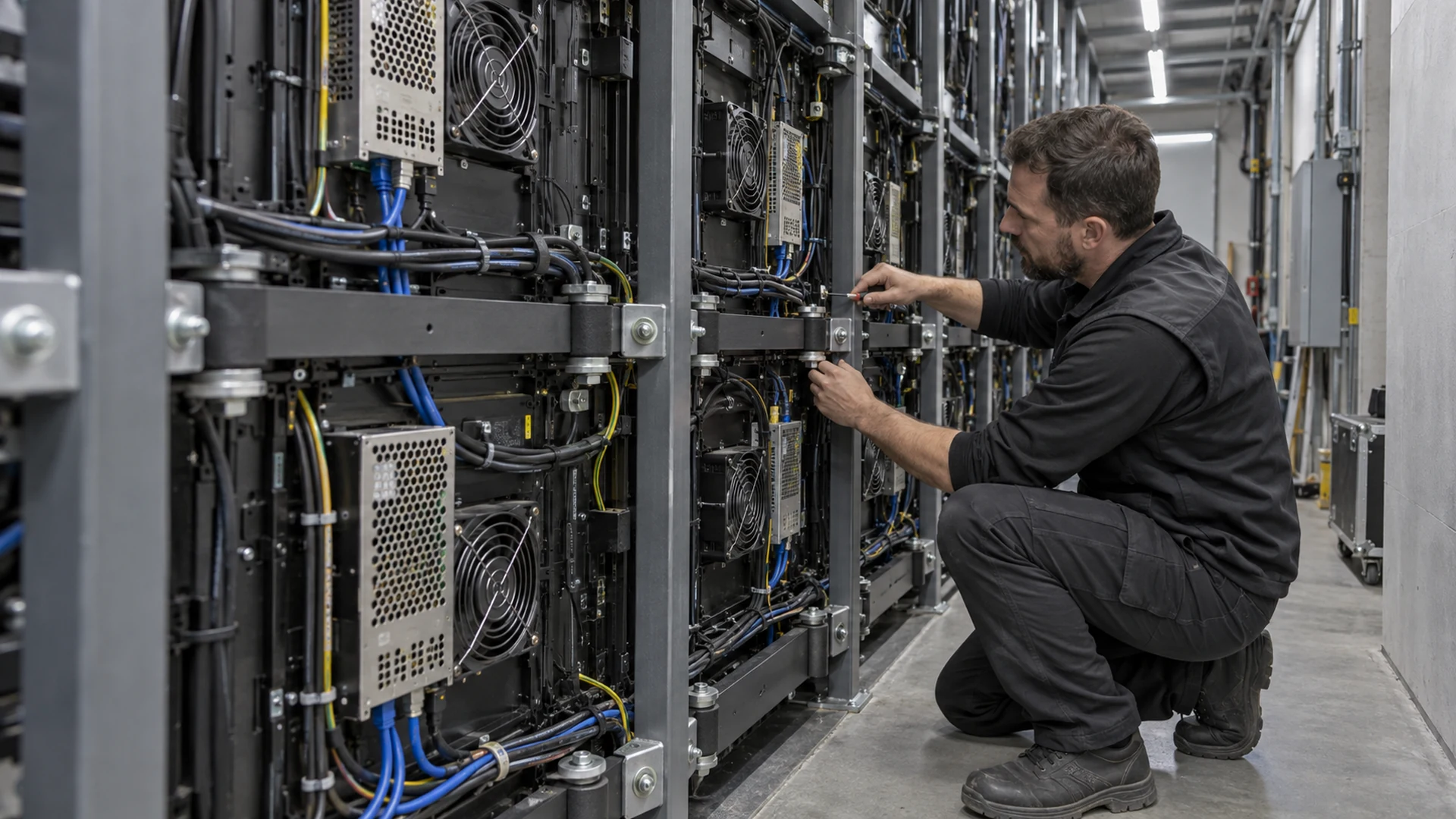
Tonal noise deserves separate attention. Ask whether it appears at a particular brightness, grayscale level, content pattern, temperature, or input mode. Compare cabinet rows and power zones to isolate the source. Do not hide the problem by raising the room background during approval; diagnose whether the source is a power unit, fan bearing, fan controller, loose part, grounding issue, or structural resonance.
What should the quotation and submittal include?
Replace vague promises such as “ultra quiet” with a project-specific acoustic schedule. It should state what is included, how it will be tested, and who corrects a failure. Comparable quotations should use the same screen size, brightness basis, ambient condition, installation concept, and cooling boundary.
- Cabinet model, fanless or fan-cooled construction, fan quantity, and control method
- Rated environmental limits and the thermal assumptions behind normal operation
- Brightness and content state used for the offered acoustic performance
- Measurement method, positions, distance, room baseline, and HVAC state
- Whether power supplies, processors, racks, external extraction, and room cooling are included
- Mounting, isolation, enclosure, trim, access, inlet, and outlet requirements
- Response to a failed fan, blocked vent, high temperature, or abnormal fan speed
- Inspection, cleaning, replacement, spare-fan, and preventive-maintenance plan
- Factory demonstration, onsite acceptance, reporting, and corrective-action responsibility
Power design affects both heat and acoustic behavior. Confirm normal and maximum loading, circuit distribution, redundancy, and the operating states used in testing. The LED display power consumption guide explains how buyers can replace a single headline wattage with a usable project model.
Who owns each part of acoustic performance?
| Scope | Typical lead | Evidence to approve |
|---|---|---|
| Cabinet fans, power supplies, and internal controls | LED display manufacturer | Component schedule, control logic, operating limits, and representative test |
| Frame, anchors, isolation, trim, and enclosure | Installer and structural or architectural team | Coordinated drawings, material details, and installed vibration inspection |
| Room HVAC and external extraction | Mechanical contractor or consultant | Airflow, operating mode, control sequence, and room acoustic test |
| Audience and microphone acceptance positions | Owner, AV consultant, or acoustic consultant | Room plan with test points and agreed acceptance method |
| Final integrated test and correction | Named commissioning lead | Signed results, exception list, retest record, and handover documents |
The exact contract structure may differ, but no boundary should be left ownerless. If the cabinet supplier excludes the recess and HVAC while the building team assumes the display is silent, a problem may appear only after the wall is complete.
What should be checked during commissioning?
Commissioning should use the completed screen and the room in its intended operating configuration. Confirm that vents are open, filters are clean, fans respond normally, cables do not contact fan guards, doors and trims are secure, and the frame has no loose interfaces. Then run the approved acoustic sequence and document any tonal or intermittent events.
If settings are changed to correct noise, confirm that brightness, grayscale, image quality, thermal margin, and reliability remain acceptable. Save the final display configuration, fan-control settings, processor files, temperature records, and test report. The maintenance team should know how to recognize a failing bearing, obstructed airflow, loose panel, or new vibration before it becomes disruptive. Include this in the LED display maintenance training and handover checklist.
How should buyers specify a quiet LED video wall?
Specify the required room outcome, not a marketing adjective. Describe the use case, screen size, typical brightness, operating hours, ambient temperature, HVAC state, installation enclosure, important listener and microphone positions, agreed test method, and correction responsibility. Ask for evidence from a representative configuration, then repeat the test onsite after warm-up.
A quiet LED video wall is the result of coordinated electronics, thermal design, structure, room services, installation quality, commissioning, and maintenance. Send the room plan, wall section, screen dimensions, usage, audience and microphone positions, cooling concept, destination, and project schedule when requesting a proposal. Contact Mirun’s project team to compare a fanless or fan-cooled configuration against those conditions.
Frequently asked questions
What is an acceptable LED display noise level?
There is no universal number for every project. Acceptance depends on room background, listener and microphone distance, room function, measurement method, and sound character. The owner or acoustic consultant should define the target and test conditions before procurement.
Can brightness affect LED display fan noise?
Yes. Brightness and content can change power draw and heat, which may change fan speed or expose power-electronic tones. Test the normal operating setting plus agreed demanding and dark-content states after the system has stabilized.
Can a fanless display overheat?
Any display can exceed its intended temperature if airflow, ambient conditions, brightness, enclosure, or installation assumptions are wrong. A fanless design needs verified passive heat paths and operating limits, not simply the absence of fans.
Should noise be tested at the factory or onsite?
Both can be useful. A factory test helps compare the proposed hardware and find component issues early. The onsite test is still necessary because the full screen, structure, recess, room acoustics, HVAC, racks, and installation details can change the result.
Need help choosing the right LED display?
Tell us your installation scene, screen size, pixel pitch target and timeline. Mirun Hailian can help match the right product configuration.