LED display cleaning should start with a model-specific procedure, not a bottle of screen cleaner. Before approving an installation, ask the supplier to identify which surfaces staff may clean, the permitted tools and materials, the required shutdown process, and the conditions that require a service visit. Put those answers in the handover documents and maintenance scope.
This matters because an LED wall is not one uniform surface. Its light-emitting face, protective treatment, cabinet finish, ventilation openings, and electrical compartments may have different care requirements. A method suitable for one area may be unsuitable for another. The buyer’s goal is a repeatable routine that preserves the display and fits the site’s access, staffing, and downtime—not a universal cleaning recipe.
First identify the surface, not just the display technology
Ask for the exact cabinet and module model, including any surface protection option supplied with the order. Terms such as SMD, COB, or GOB do not replace the manufacturer’s care instructions. Obtain the instructions for the actual construction and finish, rather than assuming that a technology label tells the cleaning team what it can touch.
Make a simple surface map: viewing face, edge trim, accessible cabinet exterior, ventilation area, and any protective glass or cover. Have the supplier mark the approved method and responsible person for each. If a cover is supplied by the installer rather than the display manufacturer, its care instructions and access method also need an owner.
Planar’s Display Cleaning Guidelines illustrate why scope matters: the document distinguishes general cleaning from additional options for particular protected LCD surfaces. It also cautions about damage around LED pixel spaces. Those instructions apply within Planar’s stated product scope; they are not permission to use the same materials on an unrelated LED wall.
A useful supplier question is: “Can you give us a written cleaning procedure for the exact display face and finish in this quotation?” If the answer is only a generic video or a television-care leaflet, ask for clarification before assigning the work to a building-cleaning contractor.
Describe the dirt the site is likely to encounter
A quiet meeting room, a public retail entrance, and a production studio do not present the same maintenance problem. Record the likely exposure: ordinary room dust, frequent touching, nearby building work, airborne cooking residue, outdoor deposits, or production effects. Also note whether the screen can be protected during activities that create contamination.
Do not treat every visible mark as removable dirt. Before cleaning, record its location and appearance. A scratch, damaged surface, displaced component, or persistent image-uniformity issue needs assessment, not progressively stronger rubbing. Give staff a clear escalation route when they cannot identify the mark or when it remains after the approved method.
ROE Visual’s guidance on water, sand, and dust exposure discusses additional risks in virtual-production environments using practical effects, including water-related electrical hazards and corrosion. The procurement lesson is to disclose unusual exposure before purchase and obtain a product-specific response plan. Do not copy another manufacturer’s recovery or drying procedure into your own operating instructions.
Approve the cleaning kit before it reaches the screen
Ask the supplier to name acceptable cloths, brushes, or other tools, and to state where each may be used. If a liquid is permitted, request its exact specification, application limits, compatibility restrictions, and return-to-service conditions in writing. If no liquid is permitted on a particular surface, make that restriction explicit.
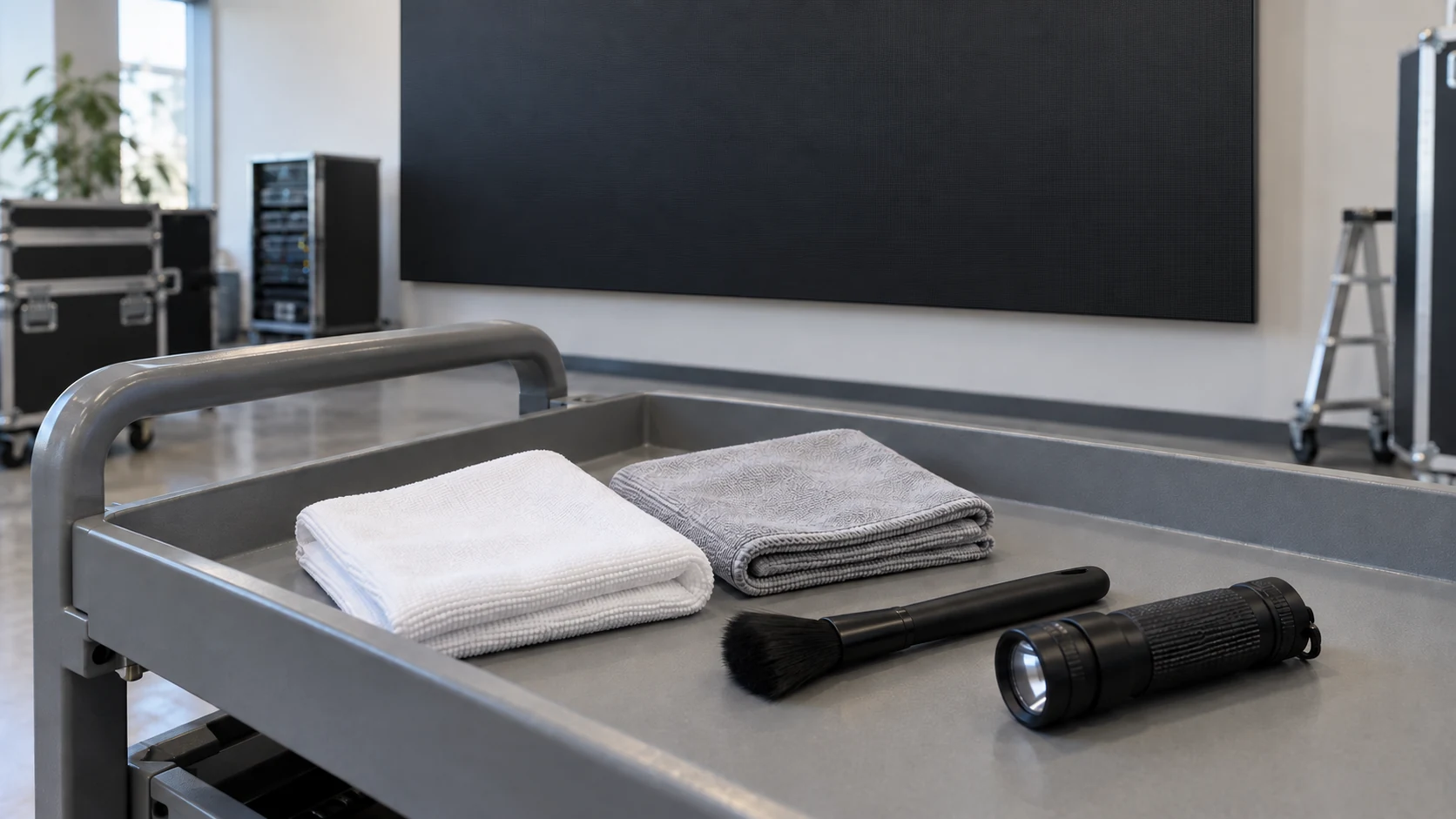
Keep approved materials separate from general housekeeping supplies. A shared cloth that has already been used on furniture or metalwork is not a controlled cleaning tool. Decide how the kit will be stored, checked, replaced, and identified so staff do not quietly substitute whatever is available.
Do not assume that alcohol, glass cleaner, disinfectant wipes, abrasive pads, or a general-purpose brush are safe because they work elsewhere in the building. Equally, do not assume that “dry cleaning” automatically makes every brush, vacuum, or air jet appropriate. Where powered tools or compressed air are allowed, the manufacturer should define the equipment, operating limits, and operator competence required. This guide does not prescribe a pressure, nozzle distance, chemical concentration, or contact force for an unspecified product.
Request a demonstration by the responsible service team on the supplied product or an approved representative sample. The demonstration should explain the limits and stop conditions, not merely show a fast cleaning pass. Record the method and ensure that it agrees with the written instructions.
Separate routine housekeeping from technical maintenance
| Area or task | What the buyer should approve | Who should own the procedure |
|---|---|---|
| Viewing face | Exact surface, permitted contact and materials, stop conditions | Display manufacturer and trained service team |
| Trim and accessible cabinet exterior | Finish-compatible method and protection of adjacent screen areas | Supplier or installer responsible for that finish |
| Vents, filters, and rear access | Whether cleaning or replacement is required; safe access and isolation | Qualified maintenance provider |
| Electrical compartments or suspected liquid entry | Assessment and recovery procedure rather than routine wiping | Qualified service personnel |
| Surrounding floor and furniture | How cleaning activity avoids contact, spray, and obstruction at the display | Site facilities team |
A facilities contractor may be responsible for keeping the surrounding area clean without being authorized to clean the LED face or open cabinets. Put that distinction in the service agreement. Otherwise, a contractor can reasonably believe the display is just another wall finish included in a general cleaning round.
Ask who controls shutdown and electrical isolation under the site’s safety procedures. Turning the displayed image black is not electrical isolation. Any work involving electrical access, suspected water entry, or other abnormal conditions belongs with qualified personnel. The operator should not improvise cabinet access or re-energize equipment simply to check whether a spill has “dried out.”
Can the whole screen actually be reached safely?
Check the maintenance route before installation approval. The screen’s lower edge may be easy to reach while the upper section requires equipment, a permit, or an out-of-hours visit. Include furniture, reception desks, retail fixtures, stage equipment, and public circulation in the access review.
A front-service design does not automatically mean every cleaning task can be performed from floor level. Likewise, rear access does not authorize staff to enter a service zone or work near equipment without the necessary training. Use the front-service versus rear-service guide to define the access arrangement, then have the site’s responsible team approve the actual working method.
For elevated or public-facing installations, agree the access equipment, trained operator, exclusion area, and downtime with the responsible contractor. Do not rely on leaning across furniture or pressing a ladder against the screen. Include access costs in the maintenance budget; a cheap cleaning visit on paper may exclude the equipment needed to reach the display.
An outdoor rating is not a washing instruction
An ingress-protection rating should not be treated as blanket approval for pressure washing, solvents, steam, or unrestricted spray. Ask which parts of the supplied product and completed installation the stated rating covers, then obtain a separate approved cleaning method.
The LED display IP-rating checklist helps distinguish the product specification from installation details. For cleaning, the supplier and installer should also address exposed joints, cable entries, nearby equipment, drainage, and any surfaces not intended to receive cleaning liquid. Do not direct runoff toward electrical equipment or assume that a front-face specification covers an open rear cabinet.
If unusual weather, a spill, or building work leaves the display in an uncertain condition, pause routine cleaning and seek a service assessment. The response to possible ingress is different from the response to normal surface dust. Ask for that distinction before the first incident, while responsibilities are still being agreed.
Set inspection triggers instead of inventing a universal interval
There is no useful single cleaning interval for every LED installation. Begin with the manufacturer’s schedule and the site’s exposure, then review inspection records with the service provider. The plan should distinguish an inspection visit from a cleaning intervention; staff should not apply unnecessary contact just because a calendar reminder appeared.
Agree what triggers a review: visible deposits under normal lighting, a change in surrounding activity, a spill, nearby refurbishment, or another condition identified by the supplier. The response might be approved routine care, protection of the screen during site work, or an expert visit. Do not wait for a visibly unacceptable display before discovering who is allowed to act.
Keep a short log with the date, screen location, observed condition, procedure revision, approved materials, person performing the work, and outcome. Use comparable photographs when helpful. The record makes recurring contamination easier to discuss without pretending that a photo alone proves electrical safety or product condition.
Agree what a completed visit must deliver
Define completion before the first service visit. The work record should identify areas treated and areas left untouched, any damage or unusual condition found, and any follow-up required. Reopening the display to normal operation should follow the manufacturer’s and site’s approved procedure, not an arbitrary waiting time from a generic online article.
Once the responsible person authorizes operation, compare the visible result with the recorded baseline under similar viewing conditions. Check for remaining residue, unexpected appearance changes, and reported display faults. If a new issue appears, record it and escalate it; do not repeatedly clean the same area or change calibration settings to hide the symptom.
Include these checks in maintenance training and handover. Staff should be able to find the correct procedure, recognize an excluded task, and contact the service provider. A clear stop rule is just as important as a demonstration of normal work.
What belongs in the maintenance quotation?
Request a breakdown covering routine inspection, approved surface care, technical maintenance, access equipment, travel, consumables, downtime, and exceptional-contamination assessment. State which tasks are included, excluded, or charged separately. Ask how an unexpected condition found during a visit will be reported and approved before extra work begins.
Discuss cleaning-related damage and warranty responsibilities using the actual contract and product terms; do not assume that every service visit or every cleaning method is covered. The maintenance cost guide can help compare the wider service scope rather than just the price per visit.
For a useful LED display cleaning proposal, send the exact product or proposed configuration, installation height, access photos, environmental exposure, operating hours, available shutdown windows, staffing, and destination. Share these details with Mirun so the display scope and maintenance responsibilities can be coordinated with your local installer and service team.
Questions buyers often ask
Can the building-cleaning team wipe the LED screen?
Only if that task is within its agreed scope and the team has the correct product-specific instructions and training. General housekeeping around the display does not automatically authorize contact with the viewing face or access to internal equipment.
Does a protective surface make any cleaner acceptable?
No. Ask for the care instructions for the exact protection and finish supplied. A protection option does not establish compatibility with an unspecified chemical, tool, or cleaning technique.
What should staff do if liquid reaches the screen?
Keep people away from potentially hazardous equipment and notify the responsible site and service personnel. Follow the site’s incident and safe-isolation procedures. Do not touch wet electrical equipment, open cabinets, or restart the display as a test; have qualified personnel assess the condition.
Need help choosing the right LED display?
Tell us your installation scene, screen size, pixel pitch target and timeline. Mirun Hailian can help match the right product configuration.