A mobile screen can save installation work but create new problems with balance, cable management, door clearance, and daily setup. For a B2B buyer, the practical question is not simply whether a supplier offers it. The question is how to define, compare, test, and approve mobile LED display stand without leaving expensive assumptions for installation or handover.
Buyers should approve the complete mobile assembly and the route it will travel, not only the LED panel mounted on top. This guide is written for corporate AV teams, education facilities, event venues, and integrators who need a usable RFQ and approval process, not another page of disconnected marketing specifications.
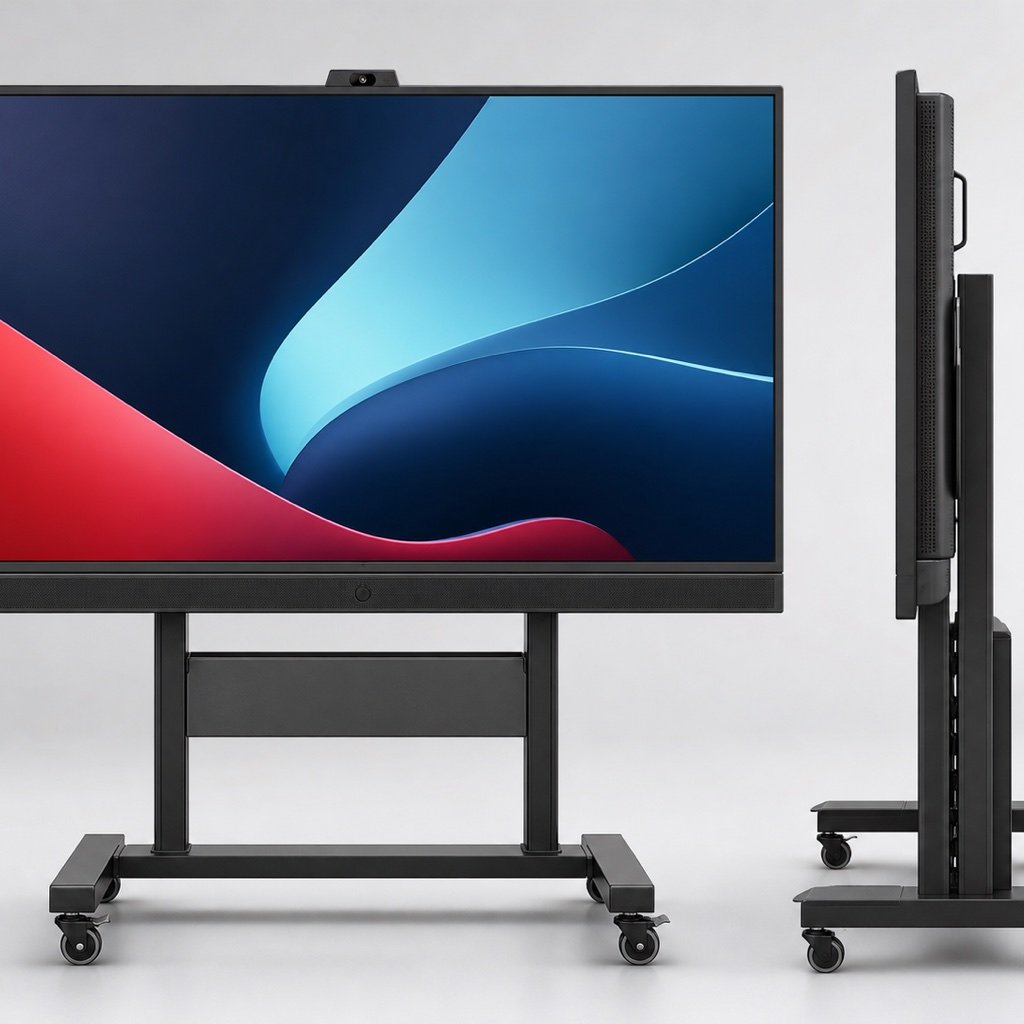
Define Where and How the Stand Will Move
List rooms, floor surfaces, thresholds, door widths, ramps, elevators, storage areas, and setup frequency. Record whether one or two people move the unit and whether accessories travel on the stand. The same LED hardware can perform very differently when the audience, content, ambient light, and operating hours change. Start with the business use case, then work backward to the screen configuration.
Approve the Complete Center of Gravity
Review screen mass, stand height, base width, ballast, wheel spacing, and accessory placement in the operating and transport positions. Ask for maximum tilt or floor-slope guidance.
A stable empty frame may behave differently after the display, processor, cables, and shelf are installed. Test the delivered configuration. Ask the supplier to state the assumption in writing and show how the proposed product or workflow addresses it.
Check Wheels, Brakes, Handles, and Thresholds
Match wheel diameter and material to carpet, tile, stage floors, and elevator gaps. Confirm brake access, steering behavior, handle height, and protection for cabinet edges.
Small wheels can stop abruptly at a threshold and transfer force into the display. Movement should be slow, controlled, and practiced. Ask the supplier to state the assumption in writing and show how the proposed product or workflow addresses it.
Plan Power and Signal Without Loose Cables
Provide the intended outlets, extension policy, input sources, wireless tools, and cable path. Include strain relief, storage hooks, and protected connectors for transport.
Loose cables create trip and connector risks. The unit should have a repeatable setup that operators can complete without improvisation. Ask the supplier to state the assumption in writing and show how the proposed product or workflow addresses it.
Design Storage, Service, and Daily Checks
Confirm the storage footprint, dust cover, parking brakes, isolation method, module access, spare location, and pre-use inspection. Keep a short checklist on the unit.
Mobile equipment receives more handling than a fixed wall. Simple checks help catch loose hardware, damaged wheels, and cable wear early. Ask the supplier to state the assumption in writing and show how the proposed product or workflow addresses it.
Mobile Stand Approval Table
Use the following table to keep the mobile LED display stand discussion specific. Replace generic answers with project values, named documents, and an owner for each open item.
| Buyer check | Why it matters | Evidence to request |
|---|---|---|
| Loaded stability | Controls tip risk | Complete-assembly demonstration |
| Travel route | Defines wheel and clearance needs | Measured route and movement test |
| Cable management | Protects people and connectors | Setup photo and cable list |
| Storage position | Affects daily readiness | Storage plan and cover detail |
| Service access | Controls repair time | Module and controller removal demo |
A Practical Approval Sequence
Here is the straightforward way to use this information. Add the requirement to the RFQ, send the same supporting drawings and operating details to every bidder, and ask each supplier to answer against the same checklist. If a value is unknown, mark it as an open item instead of letting someone make a silent assumption. That makes the commercial comparison much cleaner and gives engineering a useful exception list.
During Quote Review
Walk through the supplier’s response with purchasing, the technical owner, the installer, and the team that will operate the display. Ask for model-specific evidence rather than a general brochure. When two suppliers propose different approaches, compare the effect on installation labor, access, power, content, spares, training, and downtime. A lower equipment price can disappear quickly if another trade must solve an omitted interface.
Before Production or Shipment
Freeze the accepted answer in the purchase specification, drawing register, and inspection plan. Use a sample, mockup, factory test, or document review that matches the risk of the item. Record settings, test conditions, photos, measurements, file names, and approved exceptions. If the product or method changes, reopen the affected approval instead of assuming the original result still applies.
At Installation and Handover
Repeat the checks that depend on the finished site and the operating team. Confirm labels, access, configuration backups, spare parts, safety steps, and the person who owns each routine task. Then close the requirement with an as-built record that a technician can understand months later. This last step is easy to skip, but it is what turns a successful installation day into a supportable system.
Mobile LED Stand RFQ Checklist
- Screen size, mass, height, and center-of-gravity information
- Floor types, thresholds, ramps, doors, and elevators
- Number and training level of operators
- Wheel, brake, handle, ballast, and edge-protection details
- Power outlets, inputs, wireless devices, and cable storage
- Parking, storage, dust protection, and isolation method
- Inspection, maintenance, and spare-parts plan
A checklist works best when it is tied to a date and an approver. Decide which items are needed at quotation, sample review, pre-shipment inspection, installation, and final handover.
Warning Signs to Resolve Before Ordering
- Only the screen weight is used for stand approval
- The movement route has not been measured
- Cables hang loose during operation or transport
- No daily inspection or damaged-wheel procedure exists
One warning sign does not automatically disqualify a supplier, but it should trigger a clearer question, a sample check, or a written exception. Silence is not the same as agreement.
Connect the Requirement to the Full Project
Use one approval sheet that connects the viewing goal to pixel pitch, brightness, size, content resolution, mounting, control, and maintenance. This gives both the buyer and supplier a practical reference. Useful related resources include the installation site checklist, power-consumption planning guide, maintenance-cost planning guide.
Test the Stand in Motion, Not Only at Rest
A mobile display should be stable, controllable, cable-safe, and serviceable throughout its daily route. Run a complete movement and setup trial before final acceptance. A well-defined mobile LED display stand requirement gives suppliers the same target and gives the buyer a fair way to compare and accept the result.
For a practical recommendation, send Mirun Hailian your screen size, movement route, floor types, door and elevator dimensions, inputs, power, and operator details. The team can use those inputs to prepare a more relevant configuration and quotation.
Need help choosing the right LED display?
Tell us your installation scene, screen size, pixel pitch target and timeline. Mirun Hailian can help match the right product configuration.