An EMC test report records what an LED display was tested for, how the lab ran the tests, and what it found. To review a quote, first check that the report covers the build you plan to buy.
Use this checklist to review the evidence before you approve an LED wall order.
- Match the report number, revision, lab and tested model to the quotation.
- Check emissions and immunity coverage, the standards and any stated limits.
- Record any differences in cabinets, parts, cables or operating modes. Ask who can approve them.
What does an EMC report answer?
Electromagnetic compatibility (EMC) covers emissions and immunity. Emissions are disturbances the display can produce. Immunity describes how the display behaves when exposed to disturbances. A clear picture on the screen does not show either result.
The European Commission’s EMC Directive overview covers both emissions and immunity. It also covers equipment and fixed installations. For an EU project, ask your compliance specialist which requirements apply to the equipment and which apply to the finished wall.
Check the setup your integrator will actually use. That includes the wiring, controller and nearby equipment. This applies to an indoor LED display as well as an outdoor wall.
EMC test report, certificate or declaration?
Start by naming the document. A test report records the tests and results. For EU products, Your Europe’s declaration-of-conformity guidance explains that the manufacturer signs the declaration after assessing conformity and preparing the technical file.
| Document received | Question it addresses | Buyer’s next check |
|---|---|---|
| EMC test report | What equipment and setup were assessed, with which results and conditions? | Read the report and annexes; match the tested build to the order. |
| EU declaration of conformity | Who declares which product conforms to the applicable EU legislation? | Check product identity, manufacturer, issue date and authorised signatory. |
| Certificate or pass summary | What scope and underlying assessment does the issuer identify? | Request referenced evidence and have the reviewer identify the document’s role. |
The European Commission guidance linked above warns that voluntary or unregulated certificates are not a recognised means of proving compliance under EU law. Do not treat a lab-branded cover sheet as a substitute for the documents required by the applicable assessment route.
Begin with the report’s identity, not its cover image
Ask for the full report, including the annexes and photos of the setup. Write down the report number, revision, lab, applicant, manufacturer and model. Match those identifiers to the quote.
If you cannot confirm the source or revision, use the lab’s official contact details to ask. Obtain the supplier’s approval before sharing controlled documents. Log what the lab confirmed and what still needs review. A missing reply leaves the question open.
Ask which cabinet versions, modules, power supplies and controllers the lab tested. If the quote names a different model, ask the supplier to show how the evidence applies to that model. A shared series name alone does not establish the link.
Agree who on the buyer’s team needs to see the full evidence. Use a controlled exchange for confidential drawings. Keep the report and installation conditions available to the staff who approve the order.
Separate emission coverage from immunity coverage
Read the test scope line by line. IEC’s CISPR 32 covers emissions from multimedia equipment and defines Class A and Class B. Its CISPR 35 covers immunity for multimedia equipment. Ask your reviewer which standards apply to your project.
Confirm the standard, edition, amendments, intended environment and equipment class with the lab or reviewer. Emissions classes reflect the applicable limits and environment. They are not product quality grades.
Record the purpose of each file. A pre-scan can help the engineering team find issues during development. Check with your reviewer whether the file covers the assessment required by your purchase specification.
Reconstruct the operating configuration
The reviewer needs to see what the lab connected and how it ran the display. Ask for the cabinet layout, power and control equipment, ports, cables, operating modes and setup photos. The exact records depend on the test method.
For EU apparatus, Annex II of Directive 2014/30/EU, consolidated text addresses normal use and representative setups. It lists test reports as part of the technical file. The declaration serves a separate role.
Ask why the lab chose each operating mode. Keep each result with its mode and setup. A white image or maximum brightness does not always produce the most demanding condition for every test.
Which cable details should stay controlled?
Compare the report and the quote for cable type, length, connectors and accessories. List any specific cable treatment or installation condition that the instructions require.
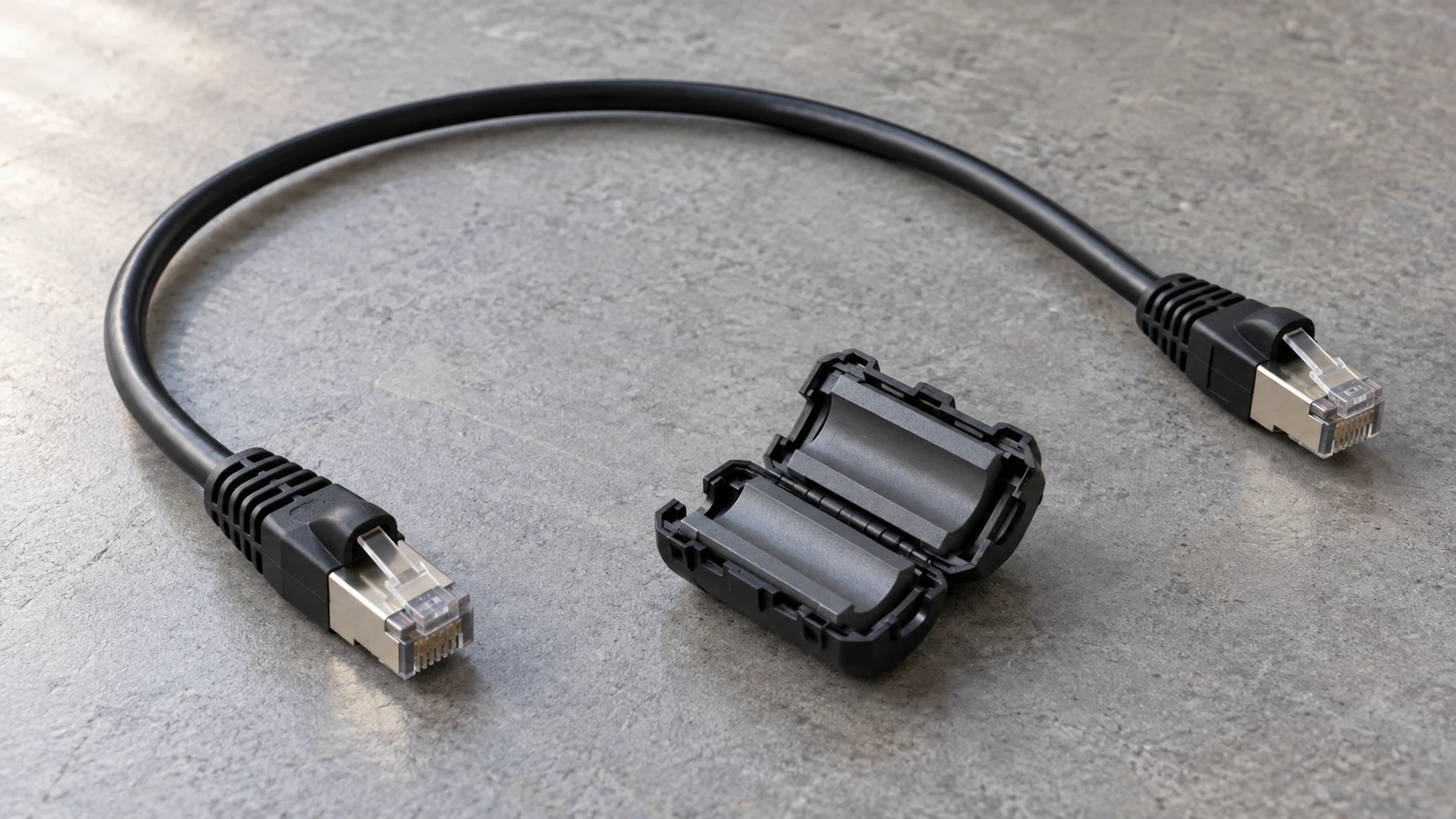
A metal shell does not show how a cable is shielded. A photo of a ferrite clamp does not tell you its part number or placement. Ask for the controlled parts list and installation instructions.
Use the connector-standardization guide to identify parts by name and model. Then check whether the evidence covers the same cable assembly and setup. Two connectors can fit together while their cable assemblies differ.
Read the outcome and conditions together
Read the full result. Check the test, port or setup, required behavior, and any limits or departures from the method. Ask the reviewer to explain blank fields and unclear abbreviations.
For immunity, check which functions the lab watched. Ask how it judged any temporary change, interruption or recovery. Record any separate recovery requirement for your project.
For emissions, ask the reviewer to interpret the readings, limits and any stated uncertainty. Keep the conclusion and the conditions that go with it. Ask for clarification if a chart is unclear.
Map the report to the quotation
Use this comparison sheet to tie each claim back to the quote. Ask the supplier to mark missing evidence and differences in the build.
| Quotation item | Evidence to connect | Question to resolve |
|---|---|---|
| Cabinet and electronics revision | Tested model and configuration record | Is the offered build identified or technically covered? |
| Controller and operating modes | Equipment list and mode description | Are the proposed options addressed? |
| External cable assemblies | Setup record and installation instructions | Which types, lengths and accessories must remain controlled? |
| Intended environment | Assessment scope and applicable requirements | Has a qualified reviewer confirmed suitability for this project? |
| Production substitutions | Approved change record | Who reviews differences before dispatch? |
Two bidders can quote the same wall size with different power supplies. Ask each bidder to show how its evidence covers the offered supply. Keep the item open until the responsible reviewer resolves it.
Use the same fields for every bidder so you can compare their answers.
Keep the laboratory configuration and the site scope distinct
The site can add processors, network gear, power distribution and longer cable runs. Send installation instructions to the integrator before the enclosure and cable routes are designed.
Ask the supplier to name the parts and conditions covered. Have the integrator record the proposed layout and refer open questions to the reviewer. Qualified electrical professionals are responsible for electrical safety, protective connections and local electrical requirements.
Annex I of the EU Directive covers good engineering practice for fixed installations. It also calls for following the intended-use information for components. Ask which requirements apply in the destination market.
Control changes without assuming every change requires a new test
Set a review process for changes to boards, power supplies, cabinets, cables or controllers. The technical lead should decide if the existing evidence still applies and if more work is needed.
Tie that decision to your serial and batch traceability records. Log the accepted build, changes and approver. The record should let someone match the shipped wall to the evidence later.
Use the same process for spare parts. If a substitute fits, still ask the reviewer whether it fits the approved build and its conditions.
Put document review and resolution costs into the order
Set a deadline for each report or instruction. Agree what you need at quote stage, before production or before shipment. Give each open item an owner.
Agree who will arrange extra review or tests and who will pay. Record what happens if the supplier cannot provide the evidence for the offered build. Keep those order terms separate from the test results.
Use the warranty-terms guide to define who keeps the records, approves substitute parts and responds at the site. Keep those service duties in the order.
A practical approval gate before shipment
Before releasing the order for dispatch, close these six items:
- Link the quotation’s exact build and options to the report or a documented technical review.
- Identify emission and immunity coverage, applicable editions and the intended environment.
- Retain the relevant setup, operating modes, cable descriptions and installation conditions.
- Resolve limitations, deviations and differences through the named technical approver.
- Record accepted production substitutions and the spare-parts review path.
- Agree who owns remaining installation review, document delivery and any additional cost.
Save the current approved documents in one folder. Keep earlier versions for reference and label them so the installer can identify the right instructions.
Give the dispatch team the pre-shipment quality checklist and the approved build record. Cross-reference the report revision in the configuration backup. Keep the factory picture test and the EMC evidence in their own records.
Conclusion: buy a documented configuration, not a badge
Before ordering, ask which parts, modes and installation conditions the report covers. Have the reviewer sign off on any difference between the tested setup and your quote.
For a quote review, send Mirun Hailian your project details. Include the country, planned use, wall size, cabinet and controller options, cable layout, nearby equipment and due date for documents.
Buyer FAQs
Does an EMC report replace an EU declaration of conformity?
No. They have different roles. A test report records the identified assessment and results; a declaration identifies the apparatus and the conformity being declared. For an EU order, have the responsible specialist review the required documentation together rather than accepting one file as a substitute for all others.
Does a report for one cabinet prove every wall size is covered?
Not automatically. Ask how the tested arrangement represents the offered configuration and intended use. The answer may require a documented technical explanation or further assessment. Do not extrapolate coverage from cabinet quantity alone.
Can a ferrite clamp fix any interference issue?
No universal fix should be assumed. The responsible engineer needs to identify the issue and select an appropriate approach. A generic accessory photo is not a component specification, a diagnostic result or proof that the installation meets its requirements.
Need help choosing the right LED display?
Tell us your installation scene, screen size, pixel pitch target and timeline. Mirun Hailian can help match the right product configuration.