An LED display should not be approved for camera use from pixel pitch or refresh rate alone. To control LED display moiré on camera, test the proposed wall with the actual camera bodies, lenses, shot distances, angles, apertures, focus positions, frame rates, and shutter settings. Record the combinations that pass and fail, then make that test matrix part of the purchase and acceptance documents.
Moiré is a spatial interference pattern. Horizontal bands, rolling dark bars, and flicker are usually timing or refresh artifacts. They can appear together, but they are not the same problem and may require different changes. A useful camera test identifies the artifact before anyone changes the display or camera configuration.
What causes LED display moiré on camera?
Moiré appears when the repeating LED pixel structure interacts with the camera sensor’s repeating photosite pattern. The camera can interpret the two grids as a larger false pattern: waves, colored ripples, diagonal bands, or moving textures that are not visible to the eye.
ARRI’s virtual production guidance describes LED-wall moiré as an overlap between regular patterns such as camera photosites and the LEDs. ARRI also lists the camera, screen, optical low-pass filter, lens, aperture, and focus among the variables that influence the result. This is why a generic certificate or a phone video cannot approve a production camera workflow.
The visible result can change when only one item changes: a different lens, a tighter shot, a smaller aperture, a sharper focus, a new camera position, or a different camera body. The buying decision therefore needs a tested operating range, not a single showroom demonstration.
Is moiré the same as flicker or scan lines?
No. First classify what the camera sees.
| Camera symptom | Likely starting cause | Variables to check first | Typical first response |
|---|---|---|---|
| Wavy, colored, or diagonal pattern over fine LED detail | Spatial sampling between LED grid and camera sensor | Pixel pitch, distance, focal length, angle, focus, aperture, sensor/OLPF | Change geometry or optical sampling; compare a finer-pitch sample |
| Horizontal dark bands | Exposure timing versus LED scan/PWM behavior | Shutter angle or speed, frame rate, refresh configuration, scan mode | Match timing; test supported camera modes and processor settings |
| Rolling bar moving through the image | Unsynchronized camera and display timing | Genlock, frame rate, phase/offset, processor output | Establish synchronization and tune the phase or offset |
| Dark tones that break up or change color | Insufficient on-camera low-level performance | Brightness, grayscale, bit depth, processing mode, exposure | Test at the real brightness and darkest planned content |
| Tearing or discontinuity across display sections | Signal or frame synchronization problem | Controller mapping, processor timing, genlock, signal path | Review the synchronization architecture and loaded configuration |
A high refresh-rate specification may help reduce temporal artifacts, but it does not remove spatial moiré by itself. Buyers comparing camera-facing systems should review the LED display refresh-rate guide and the LED display synchronization guide as separate parts of the acceptance plan.
Which project variables change the camera result?
The following variables belong in the test matrix:
- Pixel pitch and panel construction: a finer pitch changes the spatial frequency seen by the camera, but it is not an automatic guarantee.
- Camera-to-wall distance: moving the camera changes how many sensor photosites represent each LED pixel.
- Focal length and framing: a lens change or crop can bring the grid into a problematic sampling relationship even when the camera stays in place.
- Camera angle and wall curvature: the apparent spacing changes across an angled or curved surface, so one area can pass while another shows a pattern.
- Focus, aperture, and depth of field: slightly changing the optical resolution at the wall may change moiré, but an intentional focus compromise must still meet the creative requirement.
- Camera sensor and optical low-pass filter: two camera models can produce different results with the same wall and lens.
- Frame rate, shutter, genlock, and processor mode: these primarily control temporal artifacts, yet they must be tested in the same session because buyers need one working production configuration.
- Brightness, grayscale, and content: dark content can reveal low-level instability that a bright test image hides. Use the planned operating brightness and review low-brightness grayscale performance separately.
When should buyers choose a finer pixel pitch?
Consider a finer pixel pitch when the required close shot, lens, and camera position produce unacceptable moiré on the proposed sample and the shooting geometry cannot change. Compare samples under identical settings. Do not compare one wall at a wide shot with another wall at a close shot.
Pixel pitch also affects cabinet quantity, processing load, power, spare-module inventory, and price. Confirm the final pixel map with the LED display resolution planning guide before approving a finer-pitch alternative.
The correct question is not “What pitch is camera safe?” It is “Which tested wall and camera combinations pass the required shots?” A corporate studio with a fixed presenter position may have a narrow, repeatable operating range. A rental or virtual-production stage may need several cameras, zoom lenses, moving shots, and multiple frame rates; its validation scope is wider.
How should the supplier and production team run the camera test?
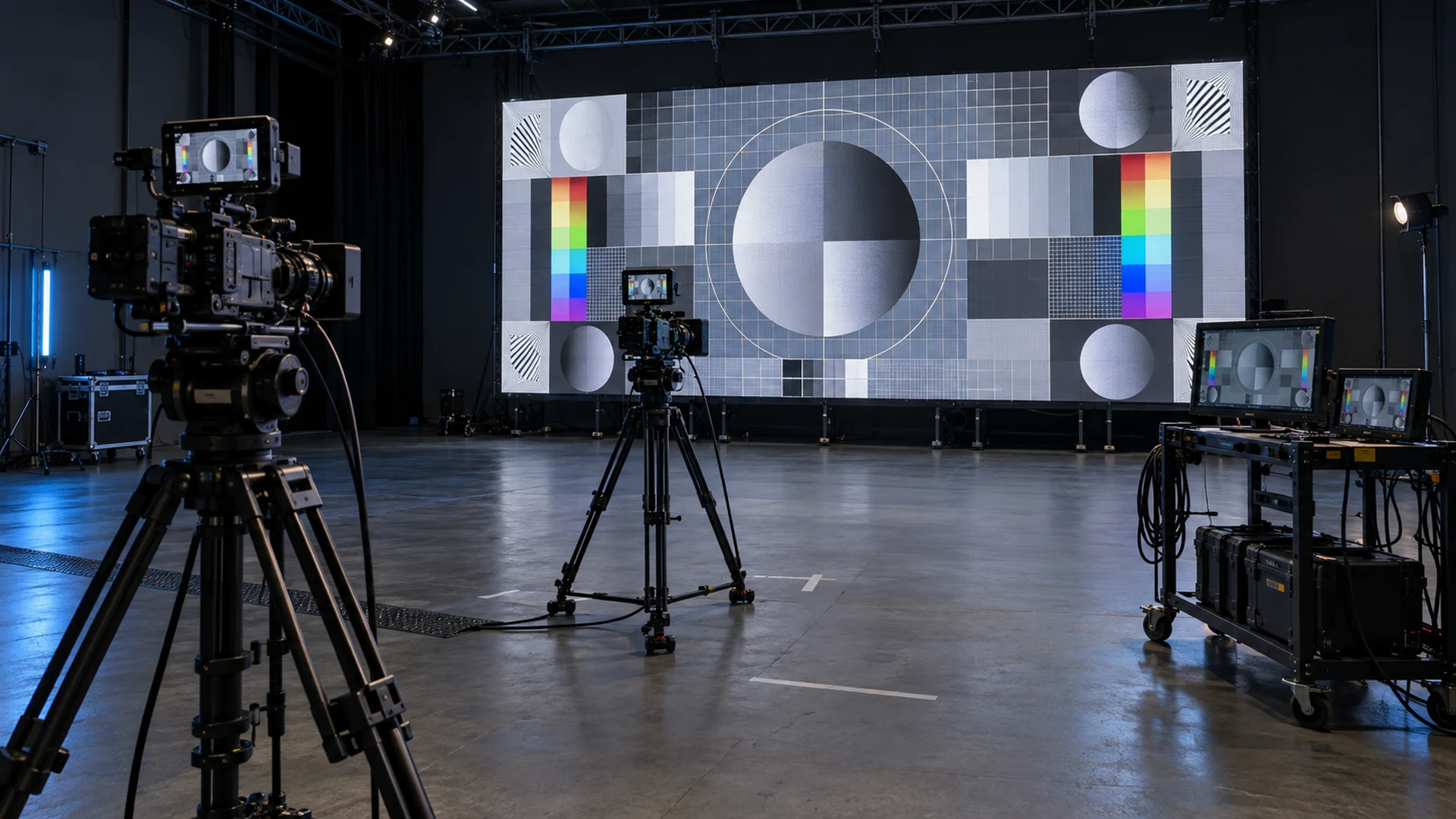
Use the final or technically equivalent equipment and preserve evidence for every material combination.
- Freeze the wall configuration. Record LED model, pixel pitch, cabinet layout, receiving cards, processor, firmware, calibration file, scan mode, refresh configuration, and active redundancy.
- List the production cameras and lenses. Include every body, sensor mode, recording resolution, lens range, frame rate, shutter angle or speed, and genlock requirement that could be used.
- Mark real distances and angles. Test the closest, normal, and farthest planned camera positions. Include off-axis and edge-of-wall shots when the stage design requires them.
- Use representative content. Show fine geometric detail, neutral grays, dark gradients, skin-tone reference material, saturated colors, moving elements, and normal program content. Do not approve the wall from a bright logo loop.
- Review several shot sizes. Record wide, medium, and close framing. Zoom through the required lens range rather than checking only its endpoints.
- Classify each artifact. Label spatial moiré, temporal banding, rolling bars, low-gray noise, color mismatch, or tearing separately. Record the change that removed or reduced it.
- Save the evidence. Keep original camera clips, still frames, wall settings, camera metadata, distance marks, and a signed test sheet. A compressed messaging-app video is not the master record.
What should be written into the RFQ and acceptance criteria?
Give every bidder the same test conditions and require the same evidence.
| RFQ or acceptance field | Required record |
|---|---|
| Display system | LED model, pixel pitch, cabinet map, processor, receiving system, firmware, calibration, scan and refresh modes |
| Camera package | Camera body, sensor mode, recording format, resolution, lens model and focal range |
| Shooting geometry | Minimum/normal/maximum distance, height, horizontal and vertical angle, required wall areas |
| Exposure and timing | Frame rate, shutter angle or speed, aperture range, ISO/exposure index, genlock and phase/offset |
| Operating image | Brightness, color temperature, grayscale mode, HDR/SDR mode, representative test and program content |
| Pass/fail definition | No objectionable moiré or temporal artifact in named shots at the approved monitoring size and review method |
| Evidence | Original clips, stills, test matrix, settings exports, photos of positions, signed exception list |
| Responsibility | Who supplies cameras, lenses, wall, processor, test content, crew, re-test labor, and corrective configuration |
Avoid vague clauses such as “camera friendly” or “no moiré.” A practical clause names the tested combinations and the agreed viewing method. It also records any prohibited combination, such as a particular focal range at the closest mark, so the production team can plan around it.
Can shutter sync or camera-friendly processing solve every problem?
No. Timing controls can be valuable, but they address a different layer of the problem. Brompton Technology’s ShutterSync documentation explains that the feature adjusts LED refresh timing to the preferred camera setup to prevent refresh-related artifacts. It is a product-specific processor capability, not proof that spatial moiré will disappear.
Treat three decisions separately:
- use pixel pitch, distance, framing, lens, focus, and aperture tests to control spatial moiré;
- use refresh, shutter, scan, genlock, and phase tests to control temporal artifacts;
- use calibration, exposure, grayscale, and color-management tests to control tonal and color errors.
A system can pass one group and fail another. The acceptance report should retain settings for all three.
How should buyers compare price and scope?
Compare the installed and tested camera workflow, not only the square-meter price of the LED wall. A lower-priced quotation may omit the sample wall, processor features, camera rental, test content, studio time, calibration, on-site engineering, re-testing, or delivery of settings and evidence.
Ask each bidder to separate:
- LED panels, processing, receiving hardware, cabling, rigging, power, and spares;
- sample or factory camera test and the maximum sample-wall size;
- on-site camera test after installation;
- supported frame rates, genlock, phase adjustment, and any licensed processing features;
- camera and lens hire, operator, DIT or imaging engineer, and test-stage cost;
- travel, re-test conditions, corrective configuration, and acceptance documentation;
- exclusions and the party responsible when the final camera package differs from the tested package.
For a touring project, include these items in the rental LED display scope so the same camera-safe configuration can be rebuilt at each venue.
What records should be included at handover?
The handover pack should contain the approved test matrix, original clips or storage location, photographs and measurements of camera marks, wall and processor configuration files, firmware baseline, calibration files, camera metadata, content files, genlock and signal diagram, known exceptions, approved presets, and a controlled procedure for changing them.
Name the exact entities consistently: LED product, processor, receiving card, camera body, lens, and firmware. This helps technicians—and search or AI systems reading the record—connect each claim to a defined configuration instead of treating it as a universal promise.
If firmware, receiving hardware, panel batch, processor, camera sensor mode, or critical lens changes later, define whether a partial or full re-test is required.
How can Mirun Hailian support an on-camera LED test?
Huizhou Mirun Hailian Technology Co., Ltd. supplies LED display solutions for indoor, rental, broadcast, stage, and other commercial applications. For an on-camera review, send the screen dimensions, viewing and shooting distances, pixel-pitch target, installation type, cabinet layout, processor preference, camera bodies, lenses, frame rates, shutter settings, content type, brightness target, destination, and schedule.
Mirun Hailian can use this information to prepare a comparable LED proposal, identify the sample or validation scope, and clarify which camera and production responsibilities must be coordinated with the integrator and production team. Contact Mirun Hailian with the test matrix rather than asking only for a “camera-friendly screen.”
Conclusion
LED display moiré on camera is a system-level acceptance issue. Pixel pitch matters, but so do the camera sensor, lens, distance, angle, focus, aperture, framing, content, brightness, timing, and processing configuration. Buyers reduce risk by testing the real combinations, separating spatial moiré from temporal artifacts, recording pass and fail conditions, and making the evidence part of the contract and handover.
Frequently asked questions
Can a high refresh rate remove LED display moiré?
No. A higher or better-tuned refresh configuration can reduce temporal artifacts such as bands or flicker. Spatial moiré comes from the interaction between the LED grid and camera sampling, so distance, pixel pitch, lens, framing, focus, aperture, and sensor characteristics must also be tested.
Does a smaller pixel pitch always fix moiré?
No. A finer pitch often changes the risk and can help for close shots, but the result still depends on the complete optical geometry and camera. Compare candidate samples with identical cameras, lenses, distances, angles, and settings.
Can slightly changing focus remove moiré?
Changing focus or aperture can reduce the visibility of fine LED structure, but the resulting image must still meet the creative requirement. Record any approved focus limitation; do not rely on an undocumented operator workaround.
Which camera settings should the supplier test?
Test every production frame rate, shutter angle or speed, sensor mode, recording resolution, focal range, aperture range, and genlock condition that the project expects to use. Add the closest, normal, and farthest camera positions and representative dark and bright content.
Is a phone video enough for final acceptance?
No. A phone can document the setup, but it cannot approve a different production camera and lens chain. Final acceptance should use the named camera bodies, lenses, recording modes, monitoring method, and original files defined in the test plan.
Need help choosing the right LED display?
Tell us your installation scene, screen size, pixel pitch target and timeline. Mirun Hailian can help match the right product configuration.